 EN
EN


A quick visual check of an opc drum may seem sufficient, but some of the most damaging defects remain completely hidden to the naked eye during a fast assessment. Technicians and procurement teams who rely only on surface-level checks risk installing a faulty opc drum that degrades print quality over time. Understanding exactly which flaws are difficult to detect during a quick inspection is essential for maintaining consistent output and avoiding costly reprints or machine downtime.
The opc drum is one of the most sensitive components in any laser printer or copier. Its photoconductive surface reacts to light exposure, static charge, and physical contact in ways that are not always visible before installation. Many opc drum defects only reveal themselves after the machine has run hundreds of pages, which makes early detection both critical and challenging. This article examines the specific opc drum defects that tend to escape notice during quick inspections and explains why they are so difficult to identify without deeper evaluation.
Micro-Scratches and Surface Film Contamination
Why Micro-Scratches on an OPC Drum Are Easily Overlooked
Micro-scratches on an opc drum surface are among the most deceptive defects in the field. Under normal lighting conditions, these fine lines are nearly invisible without a magnifying tool or a controlled light source held at a specific angle. An opc drum that appears smooth and clean may carry dozens of micro-scratches that will produce repeating vertical lines on printed pages once installed. These scratches are often introduced during improper packaging, handling, or removal from storage, and they are not obvious during a standard 10-second visual pass.
The reason micro-scratches on an opc drum are so hard to catch is that the photoconductive coating is extremely thin. A scratch that penetrates only a few micrometers into the coating does not produce a visible groove but still disrupts the electrical charge distribution across the opc drum surface. This disruption directly translates to streaks or uneven toner deposition during printing, which the user only notices after the opc drum has already been installed and print jobs have started.
Surface Film Buildup That Hides in Plain Sight
Another opc drum defect that escapes quick inspection is surface film contamination. A thin layer of residual toner, lubricant, or airborne dust can coat the opc drum surface without altering its visible appearance significantly. This opc drum film layer reduces the surface's sensitivity to light, causing uneven image density across the page. Because the opc drum still looks shiny and intact, a quick check will not flag this issue. Only a wipe test using a clean lint-free cloth or a controlled sensitivity test will reveal the contamination level on an opc drum.
Charge Layer Degradation and Light Fatigue
The Invisible Problem of Charge Sensitivity Loss in an OPC Drum
Charge sensitivity loss is one of the most serious opc drum defects that a quick inspection will never uncover. The photoconductive layer of an opc drum degrades over time due to repeated charge and discharge cycles, exposure to ozone, and ambient humidity. An opc drum that has experienced charge layer degradation looks physically identical to a fresh opc drum. There are no visible marks, discoloration, or mechanical damage. However, the opc drum's ability to hold a uniform electrostatic charge is severely compromised.
This type of opc drum defect manifests as ghosting, background fogging, or inconsistent toner adhesion during printing. These symptoms are only apparent after extended use, which means a quick pre-installation inspection offers no useful information about the opc drum's actual charge performance. Testing charge sensitivity requires specialized equipment that measures the surface potential of the opc drum under controlled light exposure, something that is simply not possible during a routine warehouse or workshop check.
Light Fatigue From Improper Storage or Accidental Exposure
An opc drum that has been accidentally exposed to ambient light during storage or transit may suffer from light fatigue, a condition where localized areas of the photoconductive coating become permanently desensitized. This opc drum defect is particularly hard to detect because the affected areas do not show any color change or surface damage. The opc drum looks normal, but certain bands or patches of the surface no longer respond to the laser signal correctly. The result is patchy print density or blank zones on the page, which only appears after the opc drum is installed and running.
Dimensional Tolerance Issues and Internal Gear Wear
How Subtle Dimensional Deviations in an OPC Drum Escape Notice
An opc drum may have dimensional tolerances that fall slightly outside specification without any visible sign of the problem. Slight deviations in the drum's diameter, roundness, or shaft alignment can cause inconsistent contact pressure with the doctor blade and transfer roller. This opc drum defect leads to banding, uneven image weight, or toner scatter that worsens as the drum wears. A quick visual check cannot detect a 0.05 mm variance in diameter, yet this level of deviation is enough to degrade output quality significantly in high-resolution print environments.
Precision measurement tools such as digital calipers or a roundness tester are required to identify dimensional opc drum defects accurately. Most quick inspections rely on visual assessment and a basic rotation test, neither of which can confirm that the opc drum meets the tight tolerances required for consistent print performance. Procurement teams sourcing opc drum components should always request dimensional compliance data from suppliers rather than assuming visual conformity equals functional conformity.
Internal Gear and Flange Wear That Goes Unnoticed
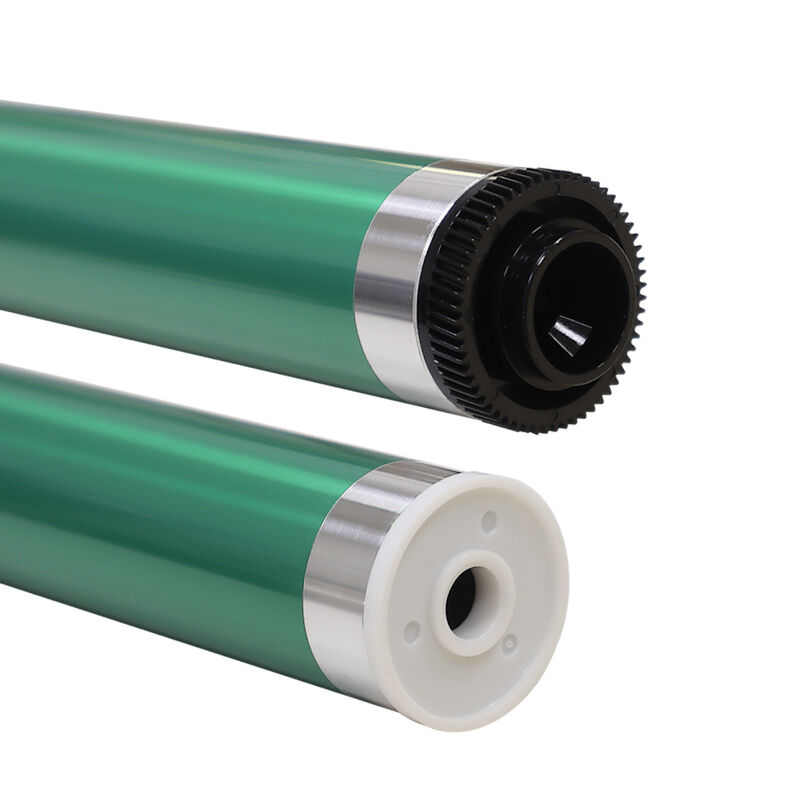
The internal gears and flanges of an opc drum are rarely inspected during a quick check because they are housed inside the drum assembly and not immediately visible. Worn or cracked gear teeth can cause irregular rotation of the opc drum, leading to banding or pitch-related image defects. A flange that fits loosely on the drum shaft will cause the opc drum to wobble slightly during rotation, creating repeating inconsistencies across every printed page. These mechanical opc drum defects are only discoverable through a hands-on torque and fit test or by disassembling the drum unit entirely.
FAQ
How can I tell if an opc drum has charge sensitivity loss before installing it?
Charge sensitivity loss in an opc drum cannot be detected through visual inspection. You would need a surface potential meter or a dedicated opc drum tester that measures the drum's charge and discharge characteristics under controlled conditions. Without this equipment, the safest approach is to source the opc drum from a supplier with verified quality control data and documented testing protocols for each batch.
Does packaging damage always cause visible defects on an opc drum?
No. Packaging damage to an opc drum often causes micro-scratches or localized charge disruptions that are not visible to the naked eye. An opc drum can survive a minor drop or compression event with no obvious external marks, yet carry internal coating damage that will affect print quality. Always inspect the opc drum packaging for signs of impact before assuming the opc drum inside is undamaged.
Why do some opc drum defects only appear after hundreds of printed pages?
Many opc drum defects involve marginal degradation of the photoconductive layer or subtle mechanical irregularities that only become apparent under sustained operating conditions. The opc drum goes through thousands of charge and discharge cycles during normal use, and weaknesses in the coating or structure accumulate into noticeable print defects over time. Early-stage opc drum flaws often fall below the threshold of visible detection but will eventually surface once the drum has been subjected to regular print cycles.