 EN
EN

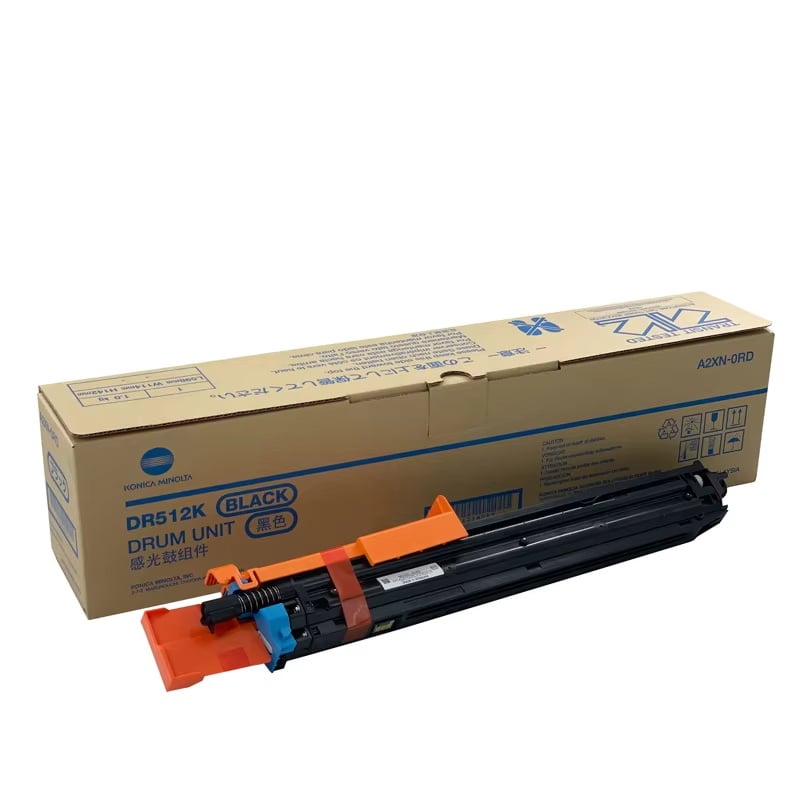
How long does a printer drum last? There is no single page count that applies to every printer or copier drum. Drum life varies by model, drum design, print volume, operating conditions, and maintenance. In copier applications, some drums may require replacement after around 40,000–60,000 pages, while some longer-life drums can be rated for 80,000–100,000 pages or more. The rated yield for the specific model should therefore be used as the primary reference.
Actual replacement timing should also consider print quality and drum condition. Some drums may continue producing acceptable print quality beyond their rated life, while others may show deterioration earlier.
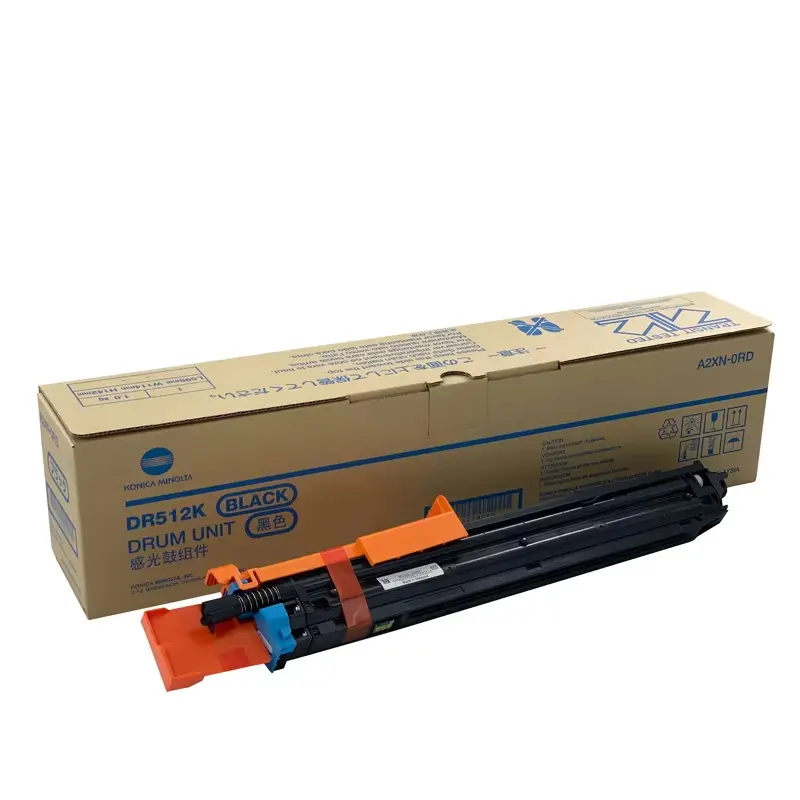
What is a Drum Unit?
A drum unit is a key imaging component in a laser printer or copier. Its photosensitive surface works with toner and other imaging components to help form and transfer the image during the printing process. Depending on the machine design, the drum may be a separate consumable or part of a larger imaging unit.
Because the drum surface plays a direct role in image formation, wear or damage can eventually affect print quality. However, drum design and service life vary considerably between printer and copier models.
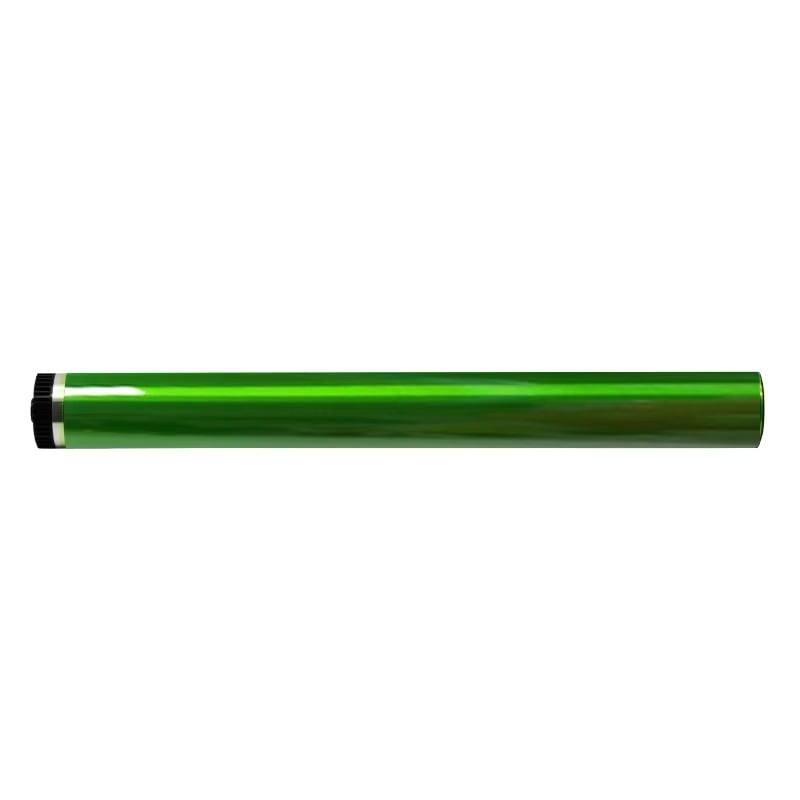
How Long Does a Printer Drum Last?
Typical Drum Unit Page Yields
Drum unit page yields vary significantly between printer and copier models, so there is no universal replacement interval that applies to every drum. The rated page yield specified for the particular machine or drum unit should be the primary reference.
In practical copier applications, some drums may begin to show deterioration or require replacement at around 40,000–60,000 pages, while longer-life drum designs may be rated for around 80,000–100,000 pages or more. These figures are practical examples rather than universal specifications.
Actual service life may also differ from the rated yield. A well-maintained machine may continue to produce acceptable print quality beyond the expected drum life, while another drum may show signs of wear earlier. For this reason, page count should be considered together with print quality, machine warnings, and the physical condition of the drum.
What Affects Drum Life?
Several factors can affect how long a printer or copier drum remains usable:
Printer or copier model: Drum design, materials, rated yield, and the imaging system vary by machine. Two different models may therefore have very different drum replacement intervals.
Print volume and workload: Actual drum wear depends not only on total page count but also on how the machine is used. Frequent or demanding print cycles can affect the condition of imaging components over time.
Machine condition and maintenance: A well-maintained copier can provide a better operating environment for the drum and related imaging components. Poor maintenance, contamination, or problems with surrounding components may contribute to premature wear or print defects.
Operating environment: Temperature, humidity, and storage conditions can affect photosensitive components. In particular, excessive humidity may contribute to deterioration of the drum surface or coating in some operating conditions.
Physical condition of the drum: Scratches, contamination, coating deterioration, or other surface damage may reduce usable drum life even if the rated page yield has not yet been reached.
For these reasons, drum life should not be judged by page count alone. The machine’s rated yield, print quality, operating environment, and actual drum condition should be considered together.
What Happens When a Printer Drum Goes Bad?
As a photosensitive drum wears, its surface coating can gradually deteriorate. Depending on the type of wear and the machine, this may appear as faded areas, dark lines, streaks, repeating marks, uneven image density, or other recurring print defects.
In some cases, wear or damage develops only on part of the drum surface. Because the drum rotates repeatedly during printing, scratches, contamination, or coating damage in one area can produce marks or lines that appear at regular intervals on the printed page.
Environmental conditions may also affect drum condition over time. For example, excessive humidity may contribute to deterioration of the photosensitive surface or coating in some applications.
However, these symptoms do not always mean that the drum is the only cause. Toner, charging components, cleaning components, developer-related components, or other parts of the imaging system can sometimes produce similar print defects. The drum and related components should therefore be checked together before deciding on replacement.
Signs Your Printer Drum Needs Replacing
Drum wear does not always appear in exactly the same way. Some drums gradually lose image quality, while others develop visible surface wear or recurring print defects. The following signs can help determine whether the drum should be inspected or replaced.
Faded or Uneven Prints
Faded areas or uneven image density can be a sign that the drum surface is no longer performing consistently. The problem may affect the entire page or appear only in certain areas.
If changing or checking the toner does not resolve the problem, the drum and other imaging components should be inspected for wear, contamination, or damage.
Streaks, Dark Lines or Repeating Marks
Dark lines, streaks, spots, or marks that repeat at regular intervals can indicate a problem with the drum surface. Because the drum rotates at a fixed circumference, a scratch, worn area, contamination, or coating defect can reproduce a similar mark each time that part of the drum passes through the imaging process.
Repeating defects are therefore a useful diagnostic clue, although related imaging components should also be checked before confirming that the drum is the cause.
Drum Replacement Warnings
Many printers and copiers track drum usage and display a maintenance or replacement warning when the drum reaches or approaches its expected service interval.
A drum warning should not automatically be interpreted as proof that the drum surface has physically failed at that exact moment. Rated drum life is a maintenance reference, and actual condition can vary. Print quality, page count, machine condition, and the manufacturer’s maintenance guidance should be considered together.
Visible Drum Wear or Damage
Visible scratches, worn coating, contamination, discoloration, or other abnormal surface conditions may indicate that the drum has been damaged or has reached the end of its usable life.
The photosensitive surface should be handled carefully during inspection. Avoid touching or scratching the drum surface, and follow the machine manufacturer’s handling and service instructions.
When Should You Replace a Printer Drum?
A printer drum should generally be considered for replacement when it reaches its model-specific rated yield, when the machine displays a drum replacement warning, or when persistent print-quality problems indicate drum wear.
However, the rated page yield should be treated as a maintenance reference rather than an exact physical failure point. In practical use, some drums may continue producing acceptable print quality beyond their expected service life, while others may show deterioration earlier.
Instead of relying on a fixed number of toner cartridges or a single page-count rule, consider the following together:
• the rated drum yield for the specific printer or copier model;
• the machine’s drum or maintenance warning;
• current print quality;
• visible drum wear or surface damage;
• machine condition and maintenance history;
• operating conditions.
If print quality remains normal near the rated service interval, follow the machine manufacturer’s maintenance guidance and inspect the drum condition before deciding on replacement. If persistent defects are present, the drum and related imaging components should be diagnosed to identify the actual cause.
How to Extend Drum Unit Life
Proper handling, maintenance, and operating conditions can help reduce unnecessary drum wear and lower the risk of premature print-quality problems.
Proper Handling
The photosensitive drum surface is sensitive to scratches, contamination, and improper handling. Avoid touching the drum surface directly, and handle the unit carefully during installation, inspection, or replacement.
Keep the drum and surrounding imaging area clean according to the machine manufacturer’s maintenance instructions. Toner buildup, debris, or problems with related components can affect print quality and may contribute to unnecessary wear.
When installing a replacement drum or drum unit, make sure it is compatible with the specific printer or copier model and is installed correctly.
Storage and Operating Conditions
Store unused drum units according to the manufacturer’s recommendations and protect photosensitive surfaces from unnecessary exposure, contamination, and unsuitable environmental conditions.
Excessive humidity, unsuitable temperatures, and poor storage conditions may affect photosensitive materials over time. Maintaining an appropriate operating environment can help support consistent print quality and reduce premature deterioration.
FAQs
How long does a printer drum last?
There is no universal page count for every printer drum. Drum life depends on the printer or copier model, drum design, rated yield, workload, maintenance, and operating conditions. Some copier drums may require replacement around 40,000–60,000 pages, while longer-life designs may be rated for 80,000–100,000 pages or more. Always use the rated yield for the specific model as the primary reference.
What happens when a printer drum goes bad?
A worn or damaged drum may cause faded areas, uneven image density, dark lines, streaks, spots, or repeating marks. However, similar defects can also come from toner, charging, cleaning, developer, or other imaging components, so diagnosis is important before replacing the drum.
How do I know if my printer drum needs replacing?
Check the drum’s rated page yield, machine warnings, current print quality, and physical condition. Persistent fading, repeating marks, streaks, or visible surface damage can indicate drum wear, but related imaging components should also be checked.
How often should I replace a printer drum?
Do not use a fixed number of months or toner cartridges as a universal replacement rule. Drum replacement intervals vary by model and usage. Follow the rated yield for the specific machine and consider actual print quality and drum condition.
Do I need to replace the drum immediately when it reaches its rated life?
Not always. Rated yield is a maintenance reference rather than an exact physical failure point. Some drums may continue producing acceptable output beyond their rated life, while others may deteriorate earlier. Follow the machine manufacturer’s guidance and evaluate print quality and drum condition.
Can I use a compatible drum unit instead of an OEM drum?
A compatible drum unit can be an alternative when it is designed for the correct printer or copier model and meets appropriate quality and performance requirements. Before ordering, confirm the machine model, drum part number, and compatibility requirements.
Need Replacement Drum Units for Copier Models?
Looking for compatible drum units or imaging components for copier models?
SCCOPIER supplies compatible drum units and imaging components for major copier brands, with model matching and bulk sourcing support for distributors, resellers, and office equipment dealers.
Send us your copier model or drum part number, and our team can help match the appropriate replacement option for your sourcing requirements.
Table of Contents
- How Long Does a Printer Drum Last?
- What Happens When a Printer Drum Goes Bad?
- Signs Your Printer Drum Needs Replacing
- When Should You Replace a Printer Drum?
- How to Extend Drum Unit Life
-
FAQs
- How long does a printer drum last?
- What happens when a printer drum goes bad?
- How do I know if my printer drum needs replacing?
- How often should I replace a printer drum?
- Do I need to replace the drum immediately when it reaches its rated life?
- Can I use a compatible drum unit instead of an OEM drum?
- Need Replacement Drum Units for Copier Models?