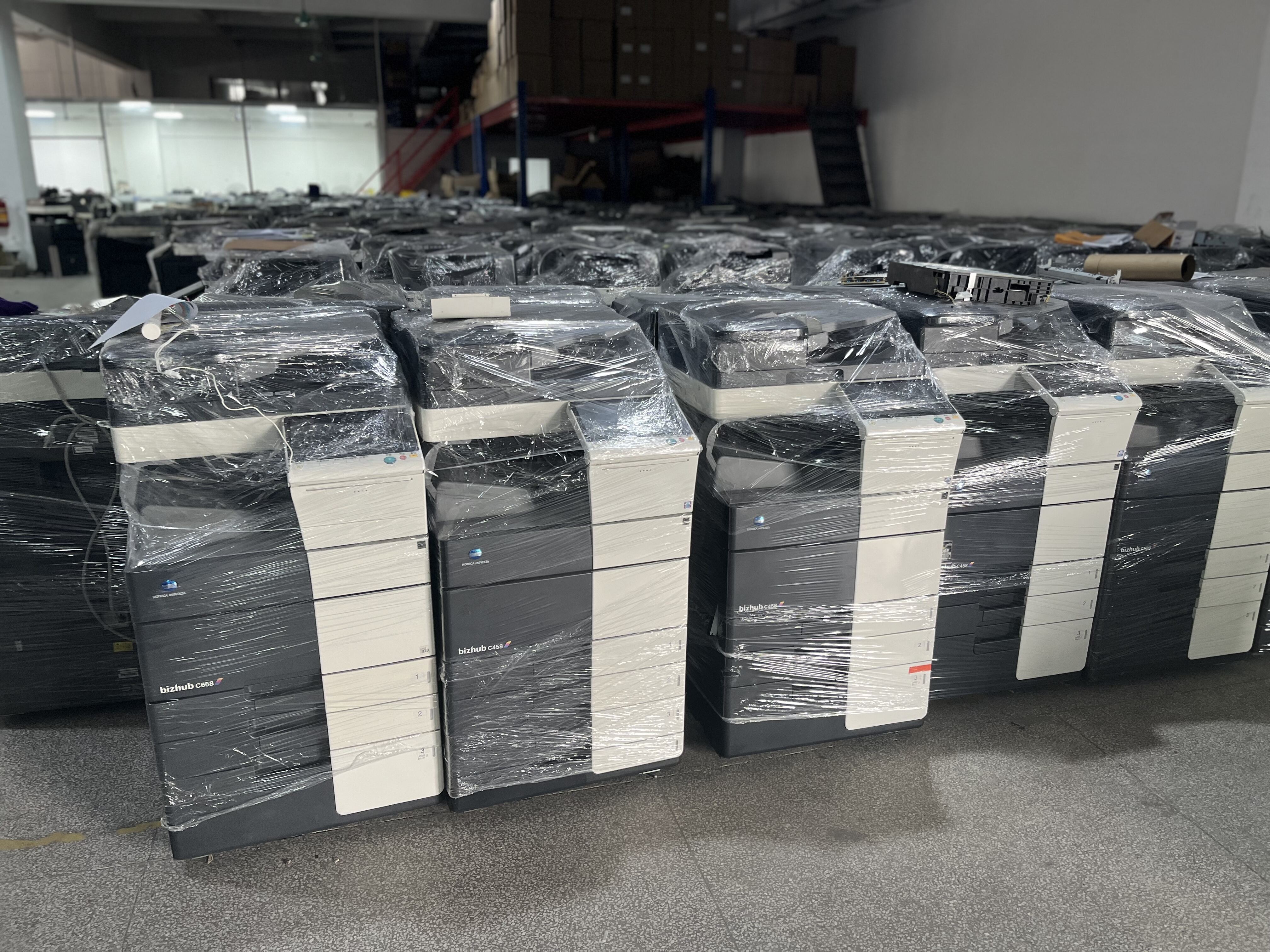
Digital Photocopier Solutions: Advanced Copying, Scanning & Network Printing Technology

Get a Free Quote

Our representative will contact you soon.
Email
Mobile
Whatsapp or Wechat ID
Company Name
Name
Message
0/1000

digital photocopier

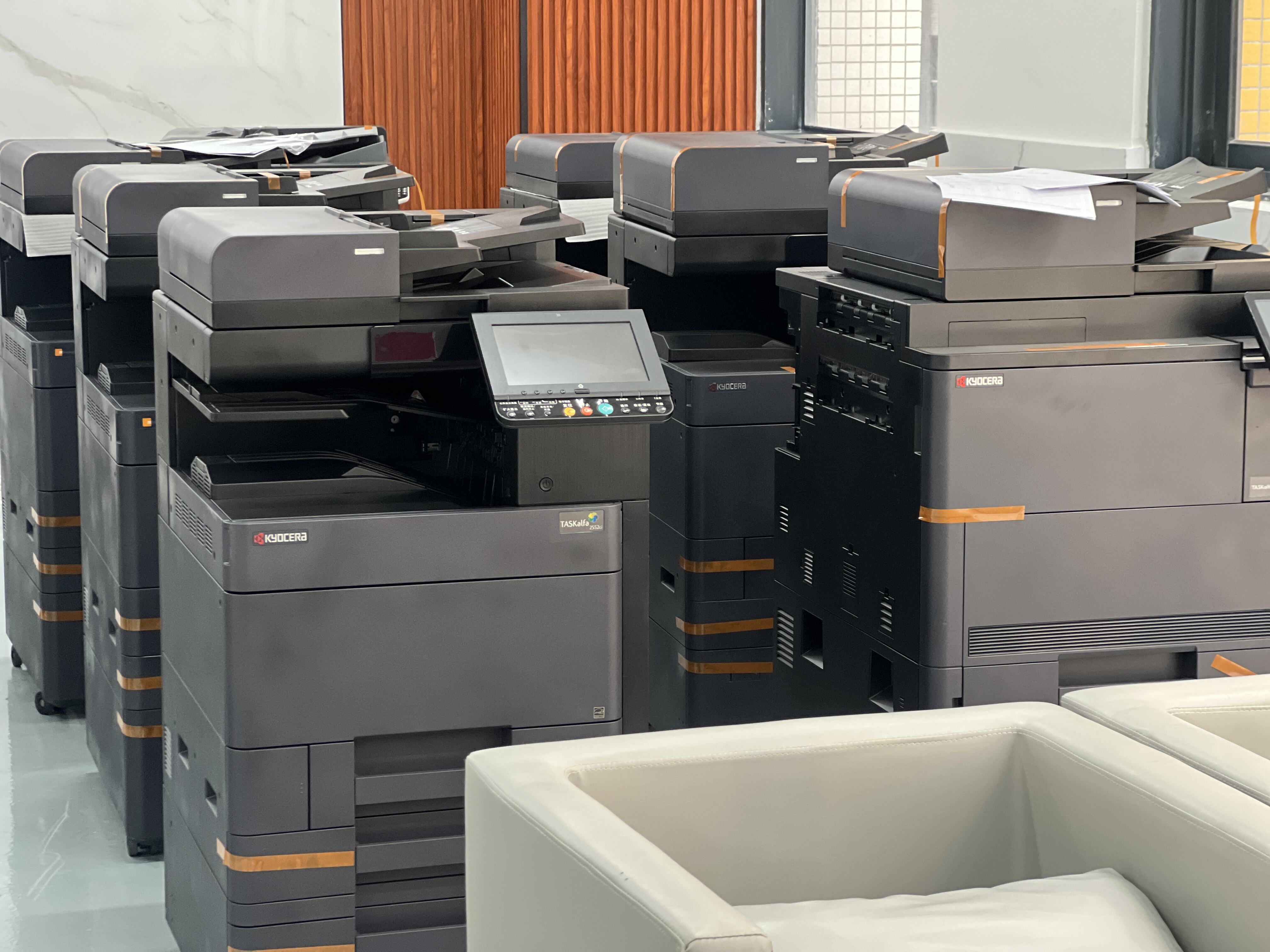
A digital photocopier represents a significant advancement in document reproduction technology, combining traditional copying capabilities with modern digital processing power. Unlike conventional analog copiers that use direct light exposure methods, a digital photocopier scans documents into digital format before reproducing them. This fundamental difference enables a wide range of enhanced functions and superior output quality. The device operates by converting physical documents into electronic data through an internal scanner, processing this information digitally, and then printing the results using laser or LED printing technology. This digital workflow allows users to manipulate images, adjust settings, and store documents electronically before or after copying. Modern digital photocopiers serve as multifunctional devices, often incorporating printing, scanning, faxing, and document management capabilities into a single machine. They connect seamlessly to computer networks, enabling users to print directly from workstations, scan documents to email or cloud storage, and manage copying tasks remotely. The technology features automatic document feeders that handle multiple pages without manual intervention, duplex printing for two-sided copies, and advanced image processing that enhances text clarity and adjusts contrast automatically. Digital photocopiers excel in office environments, educational institutions, print shops, and any setting requiring reliable document reproduction. They handle various paper sizes and weights, from standard letter formats to legal documents and specialized media. The digital nature allows for precise color reproduction, making them suitable for marketing materials, presentations, and professional documents requiring high visual quality. Security features protect sensitive information through user authentication, data encryption, and automatic memory clearing. Energy-saving modes reduce power consumption during idle periods, while rapid warm-up times ensure quick operation when needed. The versatility and efficiency of digital photocopiers make them essential tools for contemporary business operations, supporting productivity while reducing operational costs associated with document management and reproduction tasks.

New Product Releases

Digital photocopiers deliver numerous practical benefits that directly impact daily business operations and overall efficiency. First and foremost, these machines produce consistently superior output quality compared to older copying methods. Every reproduction maintains sharp text, clear images, and accurate colors because the digital process eliminates degradation that occurs with traditional light-lens copying. Users receive professional-looking documents every time, which enhances company image and communication effectiveness. The speed advantage cannot be overstated, as digital photocopiers process documents rapidly, with many models producing 30 to 100 copies per minute. This efficiency saves valuable time in busy work environments where quick turnaround matters. The multifunctional nature eliminates the need for separate devices, freeing up office space while reducing equipment costs, maintenance expenses, and energy consumption. Organizations save money by consolidating multiple machines into one comprehensive solution. Network connectivity transforms how teams work with documents, allowing employees to send copy jobs from their desks, scan materials directly to email recipients, and access the copier from any networked computer. This convenience streamlines workflows and eliminates trips to the copy room, boosting productivity throughout the organization. Digital photocopiers offer remarkable flexibility in document handling, automatically sorting, stapling, and hole-punching finished copies, which eliminates tedious manual finishing work. Users can enlarge or reduce documents with precise scaling, copy onto various paper types and sizes, and create booklets with professional binding options. The ability to store frequently copied documents in memory means users can reproduce important materials with a single button press, saving time on repetitive tasks. Cost management improves significantly because these devices track usage by department or individual, enabling accurate billing and helping identify wasteful practices. Many models feature secure print release, ensuring confidential documents only print when the authorized user stands at the machine, protecting sensitive information from unauthorized viewing. Environmental benefits include reduced paper waste through automatic duplex copying, energy-efficient operation modes, and the option to preview documents on-screen before printing, preventing unnecessary copies. The digital format enables easy editing and correction before final reproduction, avoiding the waste associated with copying flawed originals. Maintenance requirements decrease because fewer mechanical parts mean less wear and reduced service calls. When issues arise, remote diagnostics often resolve problems without requiring technician visits, minimizing downtime. The intuitive touchscreen interfaces make operation straightforward for all staff members, reducing training time and preventing user errors. Integration with document management systems allows businesses to digitize paper archives, making information searchable and accessible while reducing physical storage needs. These combined advantages translate into measurable returns on investment through labor savings, reduced supply costs, improved productivity, and enhanced document security, making digital photocopiers valuable assets for organizations of any size.

Tips And Tricks

How Do You Ensure the Quality of Developer Units When Sourcing from Suppliers?

11

Dec

How Do You Ensure the Quality of Developer Units When Sourcing from Suppliers?

Sourcing developer units from suppliers requires a comprehensive quality assurance strategy that protects your business reputation and ensures customer satisfaction. In today's competitive printing industry, the reliability and performance of develop...
View More
Why Are Master Rolls Critical in High-Volume Production Environments?

07

Jan

Why Are Master Rolls Critical in High-Volume Production Environments?

High-volume production environments demand exceptional efficiency, reliability, and cost-effectiveness to maintain competitive advantages in today's fast-paced business landscape. Among the essential components that drive successful operations, maste...
View More
How to Choose High-Quality Printing Ink for Professional Results?

07

Jan

How to Choose High-Quality Printing Ink for Professional Results?

Selecting the right printing ink is crucial for achieving professional-quality results in any printing operation. Whether you're running a commercial print shop, managing an office duplicator, or overseeing industrial printing processes, the quality ...
View More
How Does the Quality of Printer Toner Powder Affect Your Printouts?

05

Mar

How Does the Quality of Printer Toner Powder Affect Your Printouts?

The quality of your printed documents directly correlates with the printer toner powder used in your printing equipment. Whether you're producing marketing materials, important business documents, or everyday office paperwork, the composition and man...
View More

Get a Free Quote

Our representative will contact you soon.
Email
Mobile
Whatsapp or Wechat ID
Company Name
Name
Message
0/1000

digital photocopier

Advanced Scanning and Digital Storage Capabilities

Advanced Scanning and Digital Storage Capabilities

The scanning functionality built into digital photocopiers transforms how organizations handle information and represents one of the most valuable features for modern businesses. Unlike simple copying, the digital photocopier captures documents as high-resolution digital files that can be saved, shared, and archived electronically. This capability addresses the growing need to transition from paper-based workflows to digital document management systems. When users scan documents, the machine converts physical papers into various file formats including PDF, JPEG, TIFF, and searchable PDF formats that enable text recognition. This flexibility ensures compatibility with different software applications and storage systems. The scanning process occurs quickly, with automatic document feeders processing stacks of pages without manual intervention, dramatically reducing the time required to digitize large volumes of documents. Organizations can scan directly to multiple destinations, sending files to email addresses, network folders, cloud storage services, or USB drives connected to the machine. This versatility eliminates intermediate steps and allows immediate distribution of information to relevant parties. The scan-to-email function proves particularly useful for sharing documents with remote colleagues, clients, or partners, enabling instant collaboration regardless of physical location. Advanced optical character recognition technology converts scanned images into editable text, allowing users to modify documents without retyping entire pages. This feature saves countless hours when updating contracts, forms, or reports that exist only in paper format. Security features protect scanned documents through encryption and password protection, ensuring sensitive information remains confidential during transmission and storage. The digital photocopier maintains scan quality through automatic image optimization, adjusting brightness, contrast, and color balance to produce clear, readable files even from degraded originals. Users can preview scans on the touchscreen display before saving, confirming quality and proper page orientation before finalizing the file. The ability to combine multiple documents into single PDF files streamlines organization, keeping related materials together in logical groupings. Businesses benefit from reduced physical storage requirements as digitized documents eliminate filing cabinets and off-site storage costs while improving information accessibility. Employees locate needed documents through computer searches rather than manual file hunting, saving time and frustration. The environmental impact decreases significantly as organizations reduce paper consumption, physical transportation of documents, and energy used for climate-controlled storage facilities. Integration with document management platforms creates comprehensive digital archives where scanned materials become part of searchable databases, enabling sophisticated information retrieval and workflow automation. These scanning capabilities position the digital photocopier as a gateway to paperless operations, helping organizations modernize their information handling while maintaining productivity and security standards that meet contemporary business requirements.

Network Integration and Remote Accessibility Features

Network Integration and Remote Accessibility Features

The networking capabilities embedded in digital photocopiers revolutionize how teams interact with document reproduction equipment and collaborate across distributed work environments. Modern digital photocopiers function as sophisticated network nodes rather than standalone machines, connecting seamlessly to corporate networks through Ethernet or wireless protocols. This connectivity enables powerful features that enhance productivity and flexibility for all users. Employees can send print jobs directly from their computers, tablets, or smartphones to the digital photocopier without physically visiting the device, which proves invaluable in large offices or multi-floor facilities. The print-from-anywhere capability extends to remote workers who access the copier through secure virtual private networks, allowing home-based staff to utilize office equipment for professional-quality output. Mobile printing applications support iOS and Android devices, letting users print emails, photos, web pages, and documents stored in cloud services directly to the digital photocopier. This mobile compatibility aligns with contemporary work styles where professionals rely on portable devices throughout their day. Network scanning functionality allows users to initiate scan jobs from their desks, retrieving the digital photocopier remotely and directing it to scan documents placed in the feeder, with results delivered automatically to their email or network folder. This remote operation eliminates unnecessary trips to the copy room and enables efficient multitasking. Administrative control reaches new levels through web-based management interfaces that let IT staff monitor device status, configure settings, update firmware, and troubleshoot issues from any networked computer. These centralized controls simplify fleet management for organizations operating multiple digital photocopiers across different locations, ensuring consistent policies and configurations. User authentication systems integrate with existing corporate directories, requiring employees to enter credentials or swipe access cards before using the digital photocopier. This security measure prevents unauthorized access while enabling detailed usage tracking for accurate cost allocation. Departmental billing becomes straightforward as the system automatically logs every copy, print, and scan job to specific users or cost centers, providing transparent reporting for budget management. The digital photocopier can enforce printing policies automatically, implementing rules such as default duplex printing, color restrictions, or maximum page limits per job, which helps control costs and reduce waste. Queue management features display job status on user computers, showing position in the print queue and estimated completion times, allowing better planning and reducing congestion at the device. Network connectivity enables automatic supply ordering, as the digital photocopier monitors toner levels and consumables, alerting administrators when replacements become necessary or even ordering supplies automatically through vendor systems. Remote diagnostics allow service technicians to assess problems over the network, often resolving issues without on-site visits, which minimizes downtime and reduces service costs. Firmware updates deploy across the network, keeping all devices current with the latest features and security patches without manual intervention at each machine. These network integration capabilities transform the digital photocopier from a simple reproduction device into an intelligent information hub that supports modern collaborative workflows and distributed organizational structures.
Environmental Efficiency and Cost Reduction Benefits

Environmental Efficiency and Cost Reduction Benefits

Digital photocopiers deliver substantial environmental and financial advantages that align with corporate sustainability goals while improving bottom-line performance. The efficiency gains begin with intelligent power management systems that dramatically reduce energy consumption compared to older copying technologies. Modern digital photocopiers enter sleep mode automatically during periods of inactivity, reducing power draw to minimal levels while maintaining the ability to resume full operation within seconds when needed. This smart energy usage translates directly into lower electricity bills and reduced carbon footprint, making meaningful contributions to environmental responsibility initiatives. The rapid warm-up technology eliminates the lengthy heating periods required by previous generations of equipment, allowing the digital photocopier to become operational almost instantly, which encourages users to power down devices between uses rather than leaving them running continuously. Duplex printing capabilities, which automatically produce two-sided copies, cut paper consumption by up to 50 percent for most documents, delivering significant cost savings while reducing the environmental impact associated with paper production, transportation, and disposal. The digital preview function allows users to review documents on the touchscreen display before committing to paper output, preventing wasteful copies of incorrectly formatted or unnecessary materials. Built-in editing tools enable users to remove blank pages, combine multiple originals onto single sheets, or adjust layouts for optimal paper utilization, further reducing waste. Precise toner application technology ensures efficient use of consumables, applying only the necessary amount of toner to achieve excellent print quality without excess that would be wasted. High-yield toner cartridges available for digital photocopiers reduce packaging waste and lower the per-page cost of operation while decreasing the frequency of cartridge changes and associated maintenance interruptions. Some models incorporate toner recycling systems that reclaim unused toner from the development process, extending cartridge life and reducing supply expenses. The longevity and reliability of digital photocopiers mean fewer equipment replacements over time, reducing electronic waste and the environmental impact of manufacturing new devices. Predictive maintenance features monitor component wear and alert administrators before failures occur, allowing proactive servicing that extends equipment life and prevents costly emergency repairs. Usage tracking and reporting capabilities help organizations identify wasteful printing behaviors, enabling targeted education and policy adjustments that reduce unnecessary document production. The transition to digital workflows facilitated by scanning and electronic distribution features eliminates countless printed copies that would otherwise circulate through organizations, dramatically reducing paper consumption and associated costs. Document archiving in digital format eliminates physical storage requirements, freeing valuable office space while reducing the climate control energy needed to maintain paper archives. The consolidation of multiple functions into a single digital photocopier reduces the total number of devices requiring power, maintenance, and eventual disposal, creating compound environmental benefits. Organizations that implement comprehensive digital photocopier solutions report measurable reductions in document-related costs, with many achieving 20 to 30 percent savings through combined improvements in paper usage, energy consumption, supply efficiency, and labor productivity. These financial benefits accumulate continuously, making the digital photocopier an investment that pays ongoing dividends while supporting corporate environmental stewardship commitments that increasingly matter to customers, employees, and stakeholders who value sustainability in business operations.
Email Email WhatsApp WhatsApp
WhatsApp
WeChat WeChat
WeChat
Facebook Facebook TopTop

Get a Free Quote

Our representative will contact you soon.
Email
Mobile
Whatsapp or Wechat ID
Company Name
Name
Message
0/1000