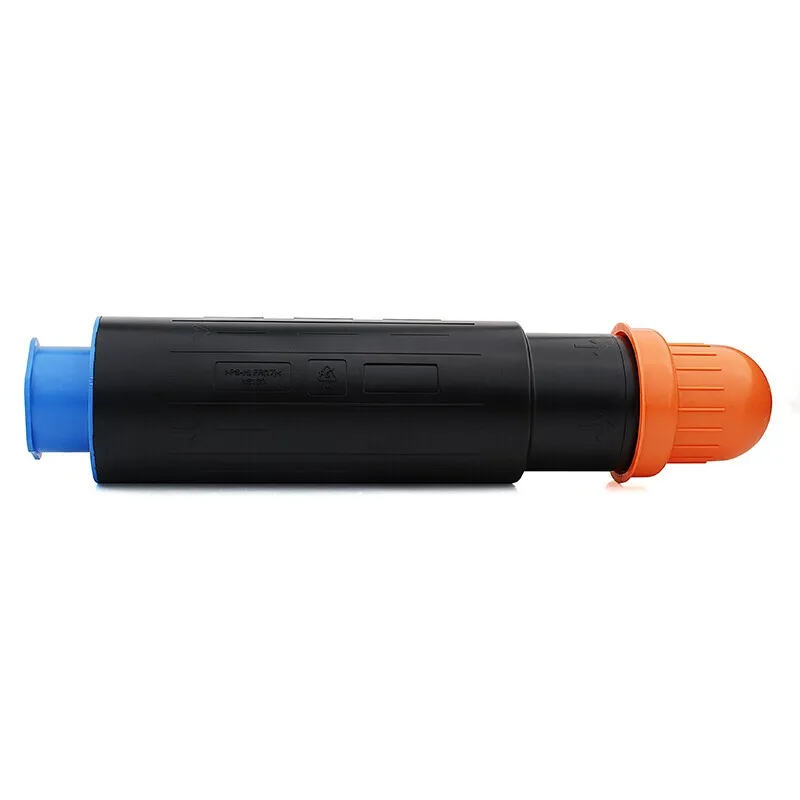
Selvom en kopimaskine eller laserprinter modtager en advarsel om leveringer af kompatible tonere, kan den stadig vise beskeden "tonerudskiftning eller patrongenkendelse.". Måske ligger problemet hos den pågældende toner og ikke i, hvordan nulstilningsgearret skal placeres. Når patronen er blevet identificeret, kan maskine genaktiveres og nulstilles til fabriksindstillingerne.
For at lære om patronnulstilningsprocedurerne for bestemte modeller som Brother, Lenovo Konica Minolta og Toshiba Toner, se denne brugsanvisning. Kun de toner Patrulje designer indgår i disse procedurer, da de indeholder oplysninger om nulstilningsgear og dets placering. Alle andre genstande skal returneres én gang. For at undgå beskadigelse af gear, fjeder eller sideskærm anbefales det at stramme patronen og betjene den langsomt, inden der startes.
Denne nulstillingsmetode gælder følgende printere og kopimaskiner:
Patronen kan bruge enten en to-hjørnets nulstilningsgearkonstruktion eller en tre-hjørnets nulstilningsgearkonstruktion . Den korrekte fremgangsmåde afhænger af patronens geardesign.
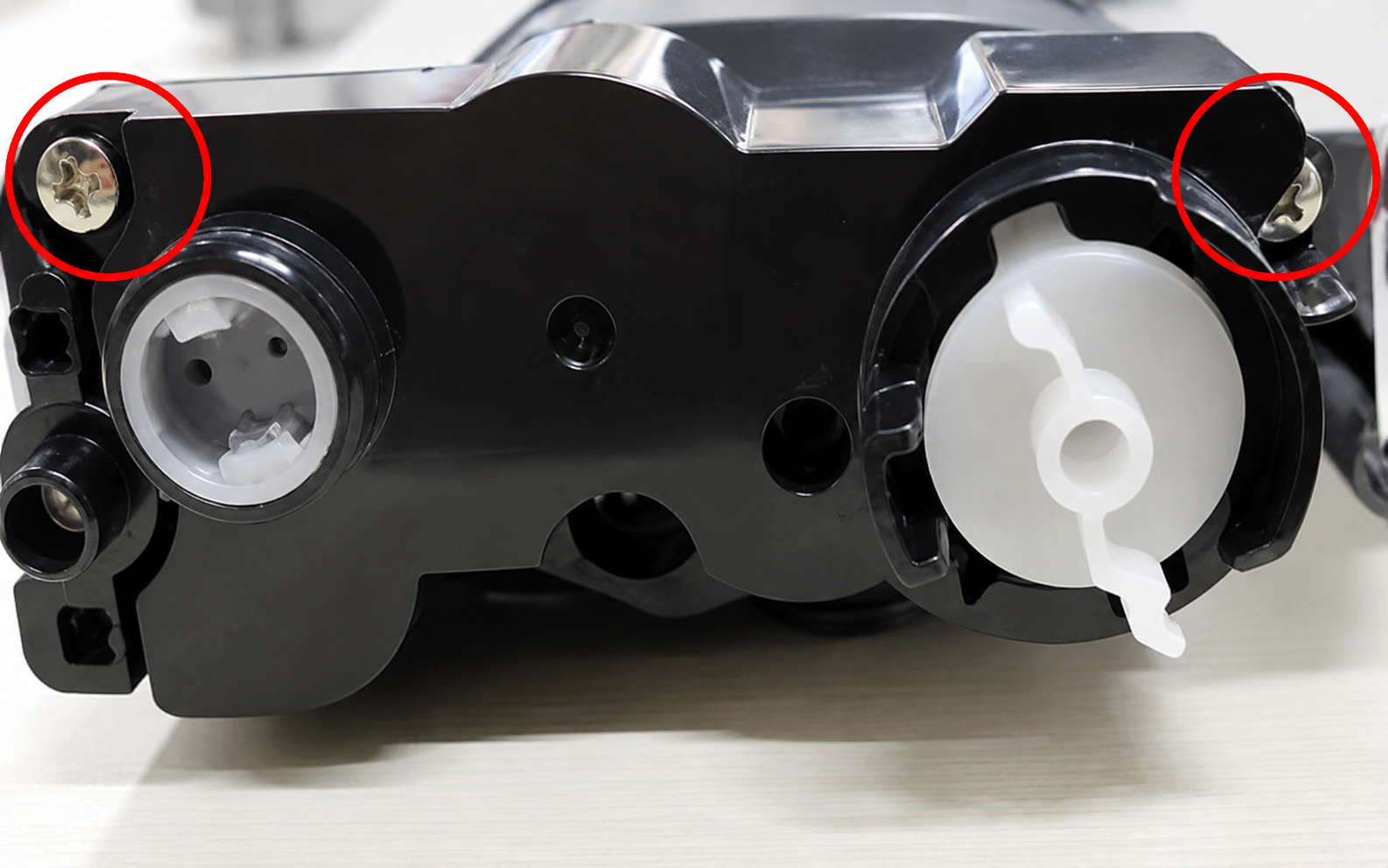
Fjern først de to skruer, der fastgør sideskabet på gear-siden af tonerpatronen. Fjern sideskabet forsigtigt for at afsløre den indvendige gearmontage.
Placer derefter den lille fremspring på tonerblandingsgearet således, at den peger mod cirka klokken 4–5 . Juster samtidig fjederbegrænsningen eller torsionskomponenten korrekt i henhold til den oprindelige konfiguration.
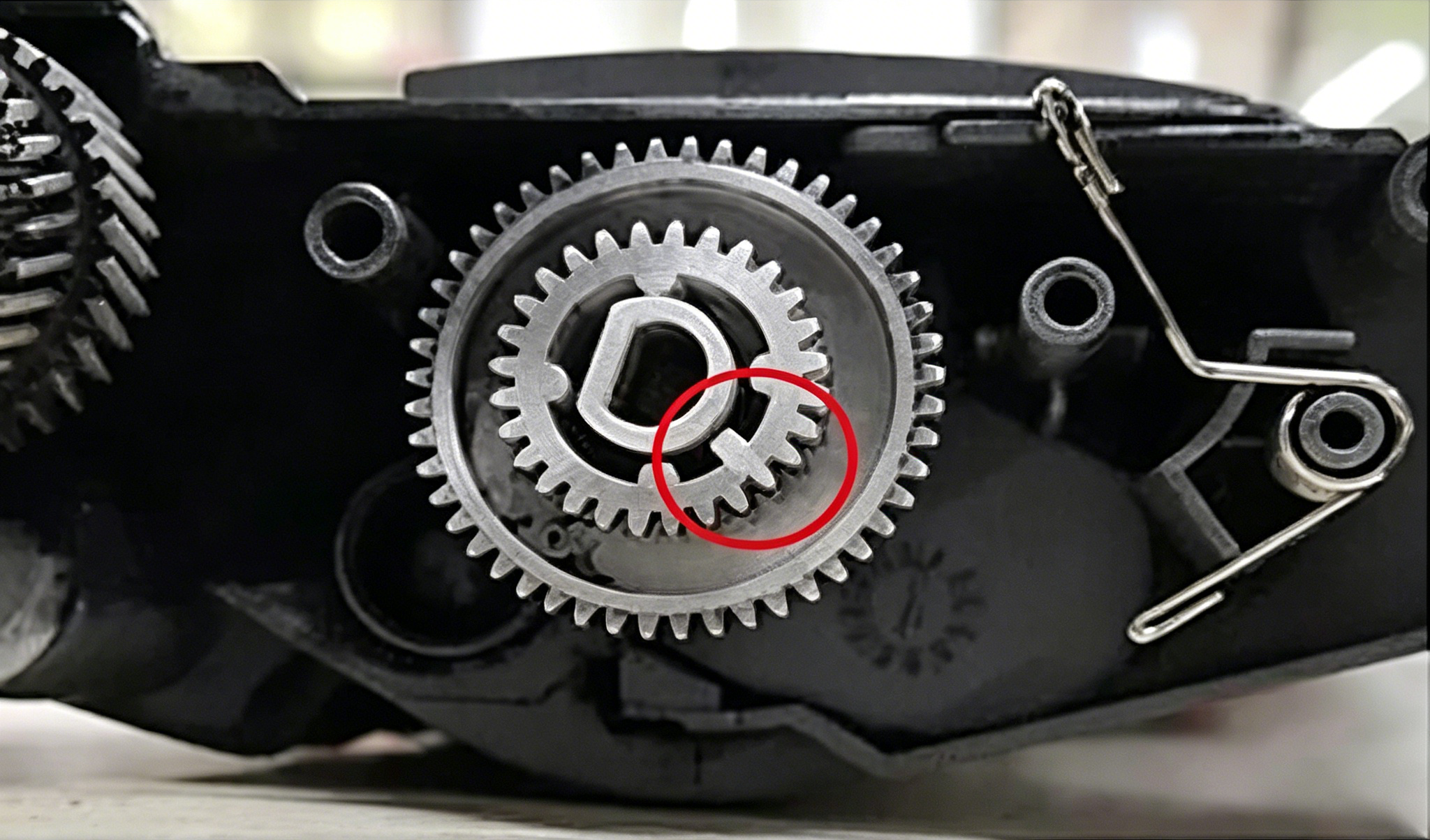
Skub let om den længere arm af torsionskomponenten udad. Installer derefter nulstilningsgearet på den korrekte position. Vær særlig opmærksom på den lille, korte tand på nulstilningsgearet. Dens position skal svare til den viste position på referencebilledet.
Når nulstilningsgearet er placeret korrekt, monteres overførelsesgearet og sideskallen igen. Når komponenterne er korrekt monteret, skal nulstilningsgearet automatisk vende tilbage til den krævede startposition.
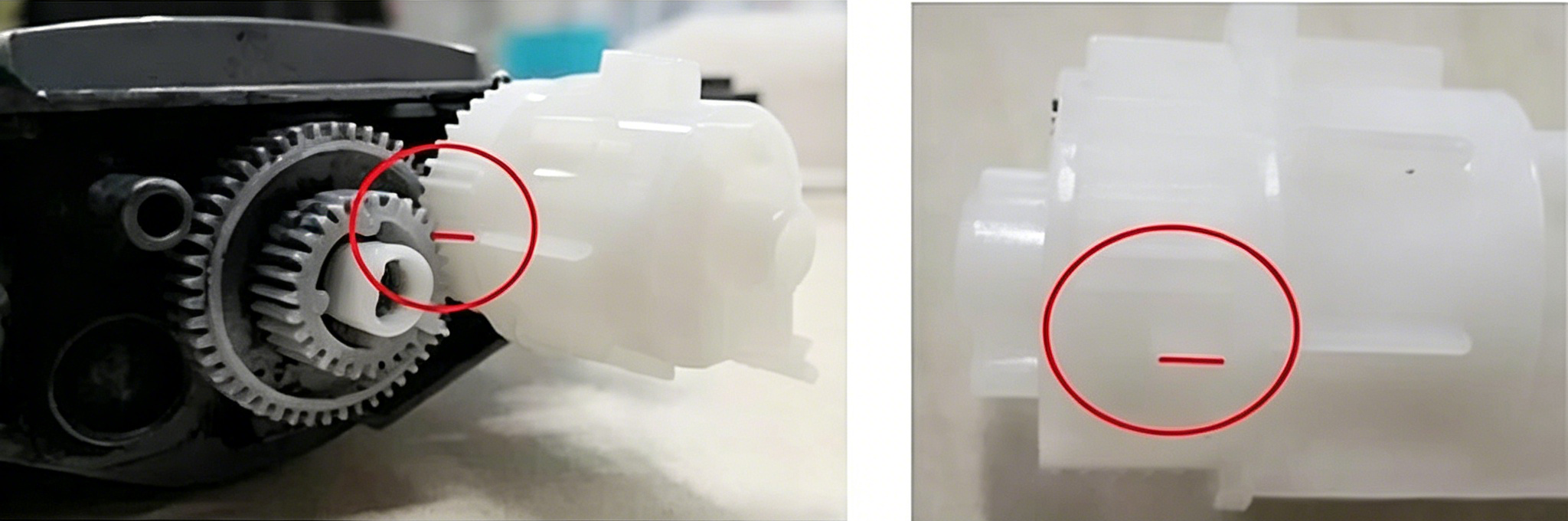
Placeringen af den lille tand er særlig vigtig, fordi en forkert gearposition kan forhindre, at patronen bliver korrekt genkendt af printeren eller kopimaskinen .
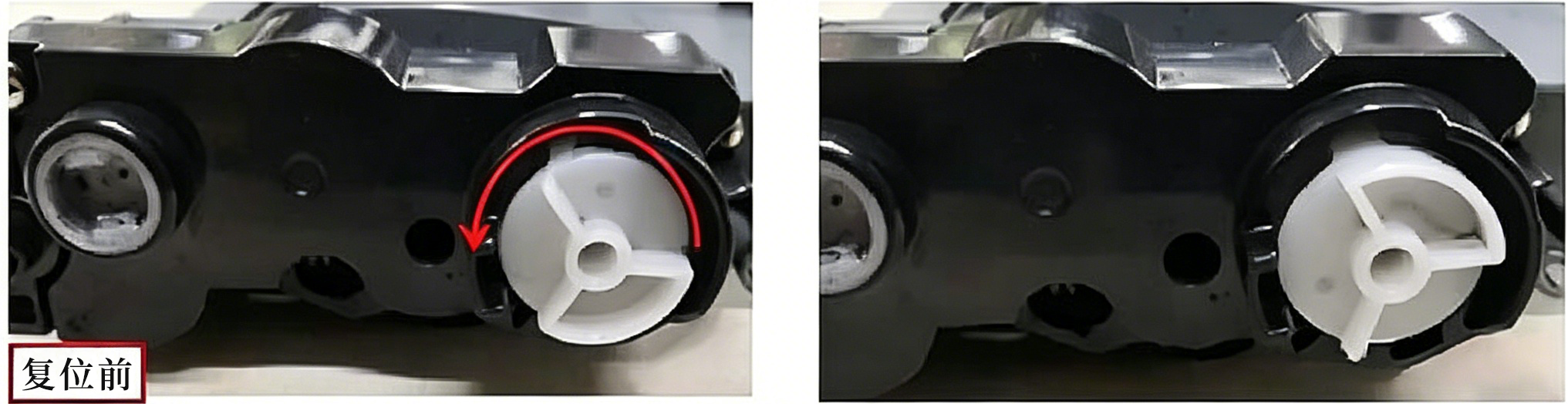
For patroner med trekantet nulstilningsgearstruktur drejes nulstilningsgearet mod uret, indtil det når den position, hvor det ikke længere kan drejes .
Ifølge den oprindelige gearpositionsbestemmelse flyttes den enkelte kant fra cirka klokken 11-positionen til klokken 7-positionen ved at dreje gearet mod uret.
Hvis det første forsøg ikke opnår den forventede nulstillede position, gentag rotationsproceduren flere gange, mens tandhjulspositionen kontrolleres omhyggeligt.
Brother TN2425-nulstillelsesmetoden adskiller sig fra de tandhjulsstrukturer, der er beskrevet ovenfor. Den gælder følgende modeller:
Nulstillelsesproceduren omfatter primært den ledende sideklap, transmissionszahnrad, nulstilzahnrad og fjeder. Korrekt justering af disse komponenter er afgørende for en vellykket tonerkassette-nulstilling.
Først fjern sideafdekningen på den ledende ende af tonerpatronen. Derefter roter transmissionsgearet på toner Patrulje indtil dens midterste del når den position, der er angivet på referencebilledet.
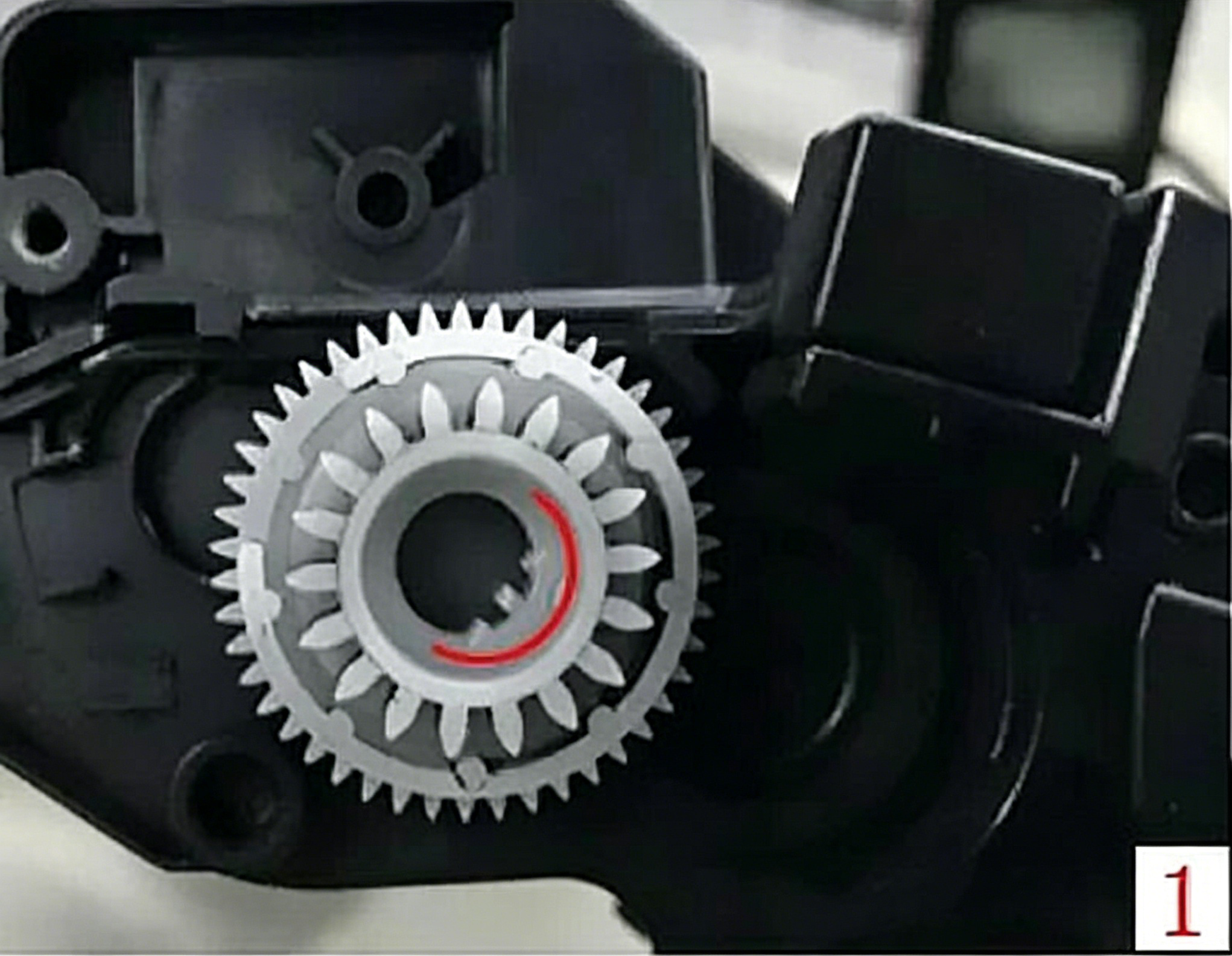
Justér derefter tværsnittet af nulstilningsgearret på sideklappen til den krævede position. Vær særligt opmærksom på fjederen. Fjederen skal monteres korrekt og forblive sikkert på sin tilsigtede position.
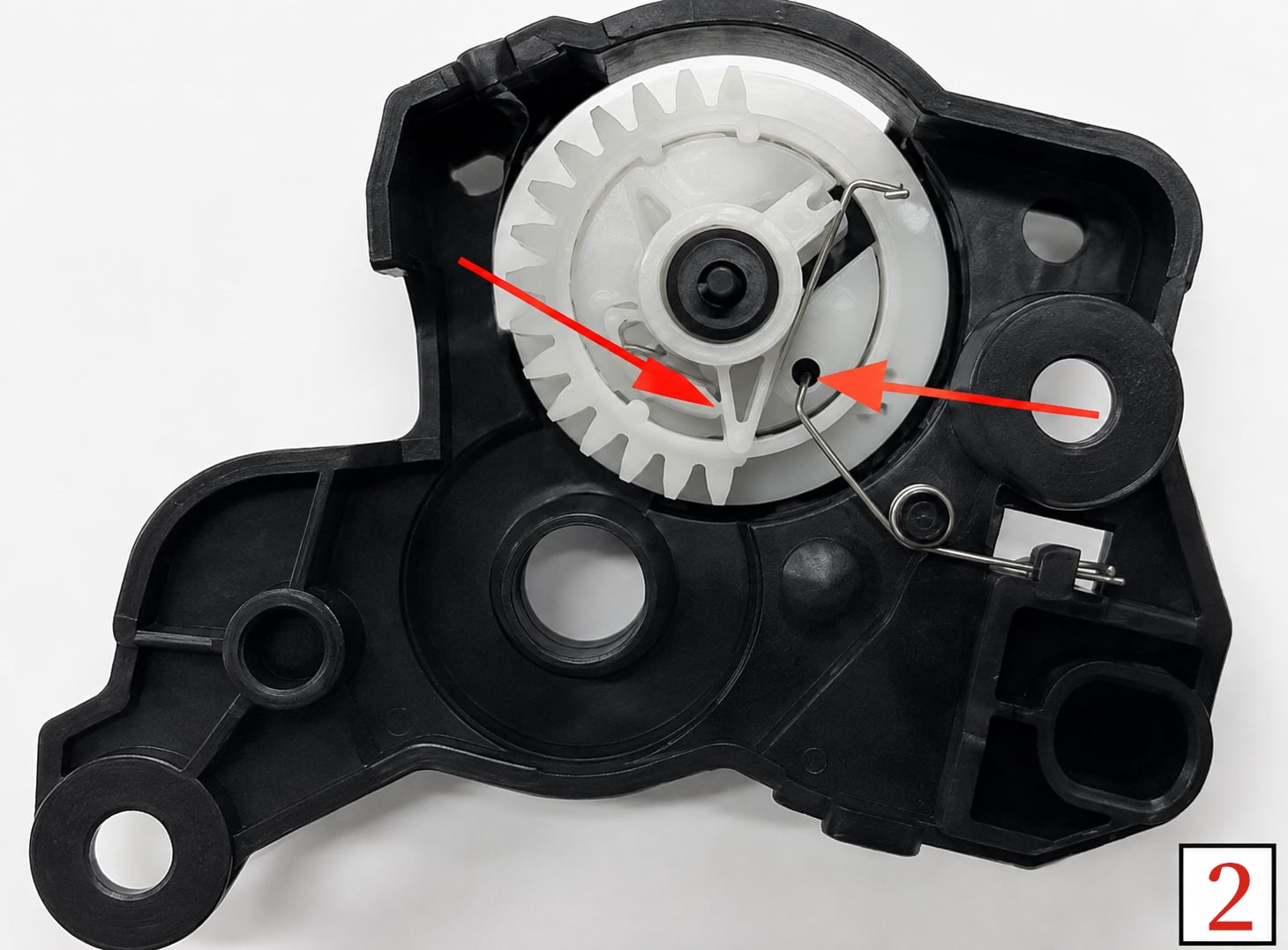
Når fjederen er monteret, drejes nulstilningsgearret let mod uret fra sideklappens yderside. Hold nulstilningsgearret i den korrekte position, mens sideklappen genmonteres.
Når sideklappen er monteret, kontrolleres justeringen omhyggeligt. Åbningen på transmissionsgearret skal være justeret med den tilsvarende åbning på sideklappen. Samtidig skal de to små fremspring på nulstilningsgearret være justeret med de to tilsvarende huller på sideklappen.
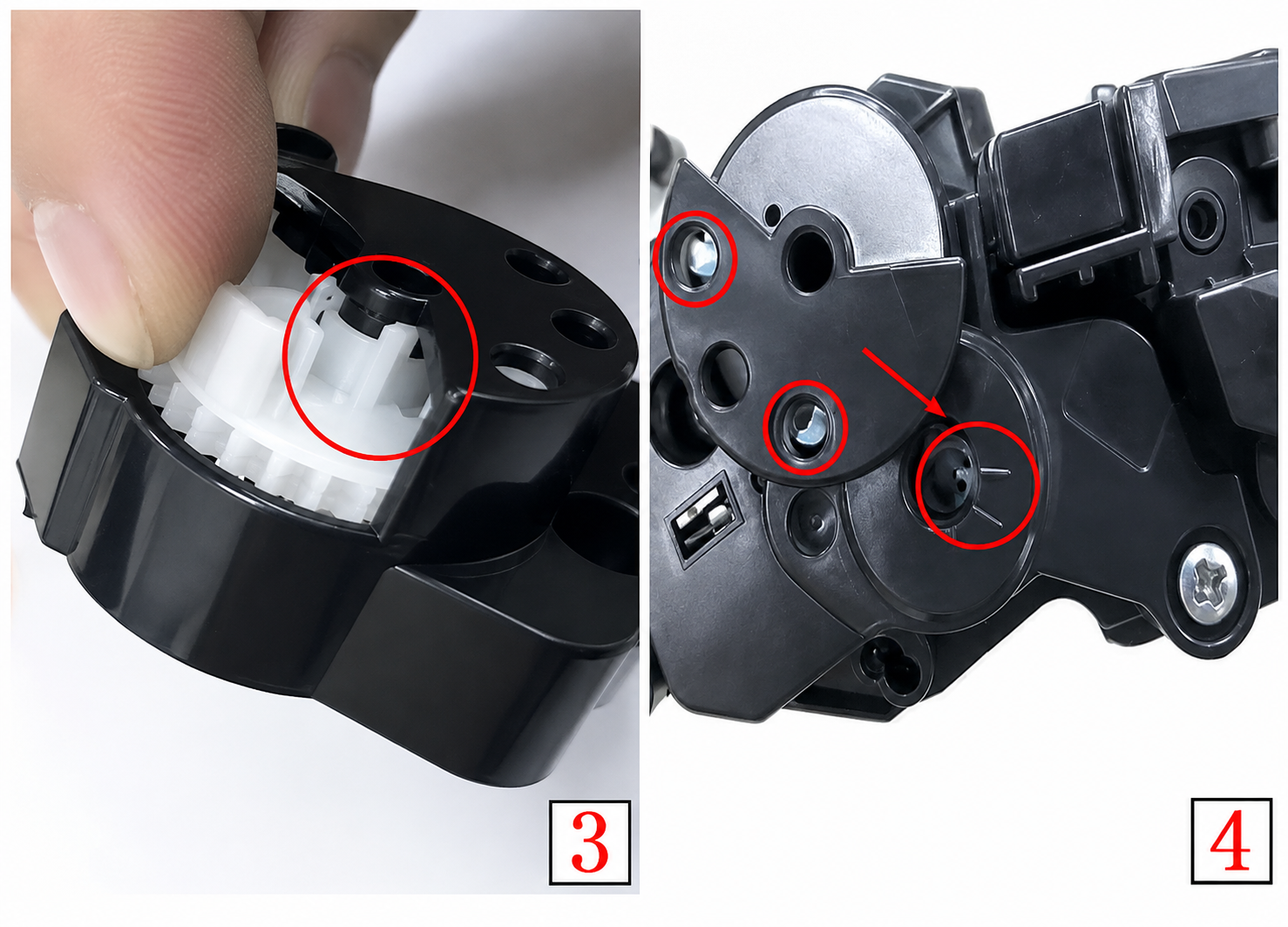
Nulstillelsesprocessen handler hovedsageligt om præcis tandhjulspositionering og korrekt komponentjustering . Før siden dækkes til igen, skal du omhyggeligt tjekke placeringen af alle tandhjul og fjedre. En lille afvigelse i nulstillelsesgear kan påvirke patronens nulstillingsfunktion.
For kartusser med en torsionskomponent eller fjeder skal du undgå at tvinge delen på plads. Fjederen skal forblive korrekt placeret, mens gearene skal dreje jævnt uden overdreven modstand. Ved genmontering af sidedækslet skal du sikre, at åbningerne til gear og positioneringspunkterne er justeret, før skruerne strammes.
For kompatible toner patrujler , er korrekt placering af nulstilningsgearet en vigtig del af patroninstallationen og forberedelsen. En patron kan indeholde tilstrækkelig toner, men kræver stadig, at nulstillingsmekanismen er korrekt placeret, så printeren eller kopimaskinen kan genkende patronens nye driftstilstand.
Til forhandlere, grossister, teknikere og kopier servicefagfolk kan forståelse af disse nulstilleprocedurer gøre patroninstallation og post-salgsservice mere effektiv. Det kan også hjælpe med at reducere unødvendig patronudskiftning, når problemet vedrører nulstillemekanismen snarere end tonerkvaliteten.
Før du installerer den nulstillede patrone i printeren eller kopimaskinen, skal du tjekke følgende punkter:
Korrekt forberedelse kan hjælpe med at forbedre genkendelsen af patroner og reducere installationsproblemer.
Nulstilling af en toner Patrulje kræver ikke altid udskiftning af hele patronen. For kompatible patroner med specifikke nulstilletandhjulsstrukturer kan omhyggelig justering af tandhjulspositionen og korrekt genmontering af sideskallen være en vigtig del af installationsprocessen.
Metoderne i denne vejledning omfatter nulstillingsprocedurer for Brother TN2225, Brother TN2425, Lenovo LT2441H, Lenovo LT2641H, Konica Minolta TNP29 og Toshiba T-2400C patronstrukturer samt de tilsvarende kompatible printere og kopier modeller. Følg altid den korrekte fremgangsmåde for den specifikke patronstruktur, og kontroller omhyggeligt tandhjuls- og fjederpositionerne før installation.
 Seneste nyheder
2026-08-19
2026-08-12
2026-07-30
2026-07-24
2026-07-21
2026-07-11
Guangzhou SC Kontorudstyr Co., Ltd specialiserer sig i høj kvalitet, Japan-kompatible kopierings- og udskriftsforbrugsstoffer siden 2009. Opdag pålidelige tonerkassetter og billedløsninger.
Bygning H, Yushu Innovation Park, Science City, Huangpu-distriktet, Guangzhou, Guangdong, Kina
Copyright © 2026 Guangzhou Xinshengchu Office Equipment Co., Ltd. Alle rettigheder Privatlivspolitik
 EN
EN