 EN
EN

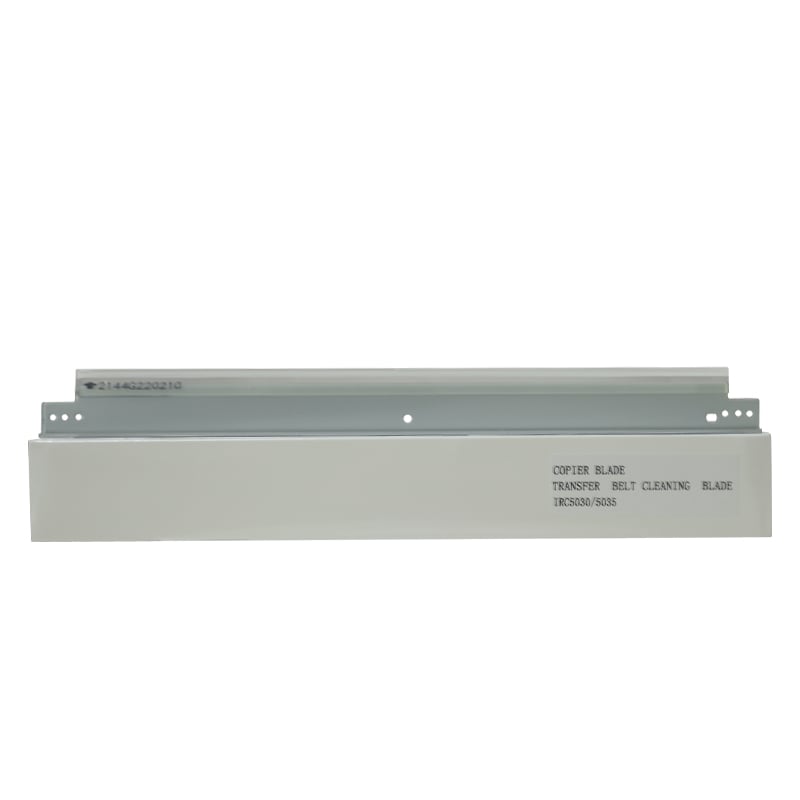
Installing a cleaning blade correctly on drum surfaces is one of the most critical maintenance procedures in office equipment upkeep. A cleaning blade is an essential component that removes residual toner, paper dust, and contaminants from the photoreceptor drum, ensuring print quality and extending equipment lifespan. However, improper installation of a cleaning blade can lead to scratches, streaking, equipment damage, and costly repairs. Understanding the safety protocols and best practices for cleaning blade installation protects both the equipment and the technician performing the work.
Safety considerations for cleaning blade installation extend beyond simple handling. The cleaning blade must be positioned at precise angles and pressures to function effectively without damaging the photoreceptor drum surface. A properly installed cleaning blade maintains consistent contact across the entire drum width, prevents blade chatter and vibration, and avoids excessive pressure that could cause premature wear. This article explores the key factors that make cleaning blade installation safer, focusing on preparation, technique, and verification methods that ensure both equipment protection and workplace safety.
Cleaning blade installation requires precise 45-60 degree alignment and consistent contact pressure. Essential safety procedures include equipment power-down, pre-installation blade and drum inspection, proper positioning without tools, and post-installation verification. Improper installation causes image streaking and expensive photoreceptor drum damage.
Understanding Cleaning Blade Design and Safety Requirements
How Cleaning Blade Architecture Affects Installation Safety
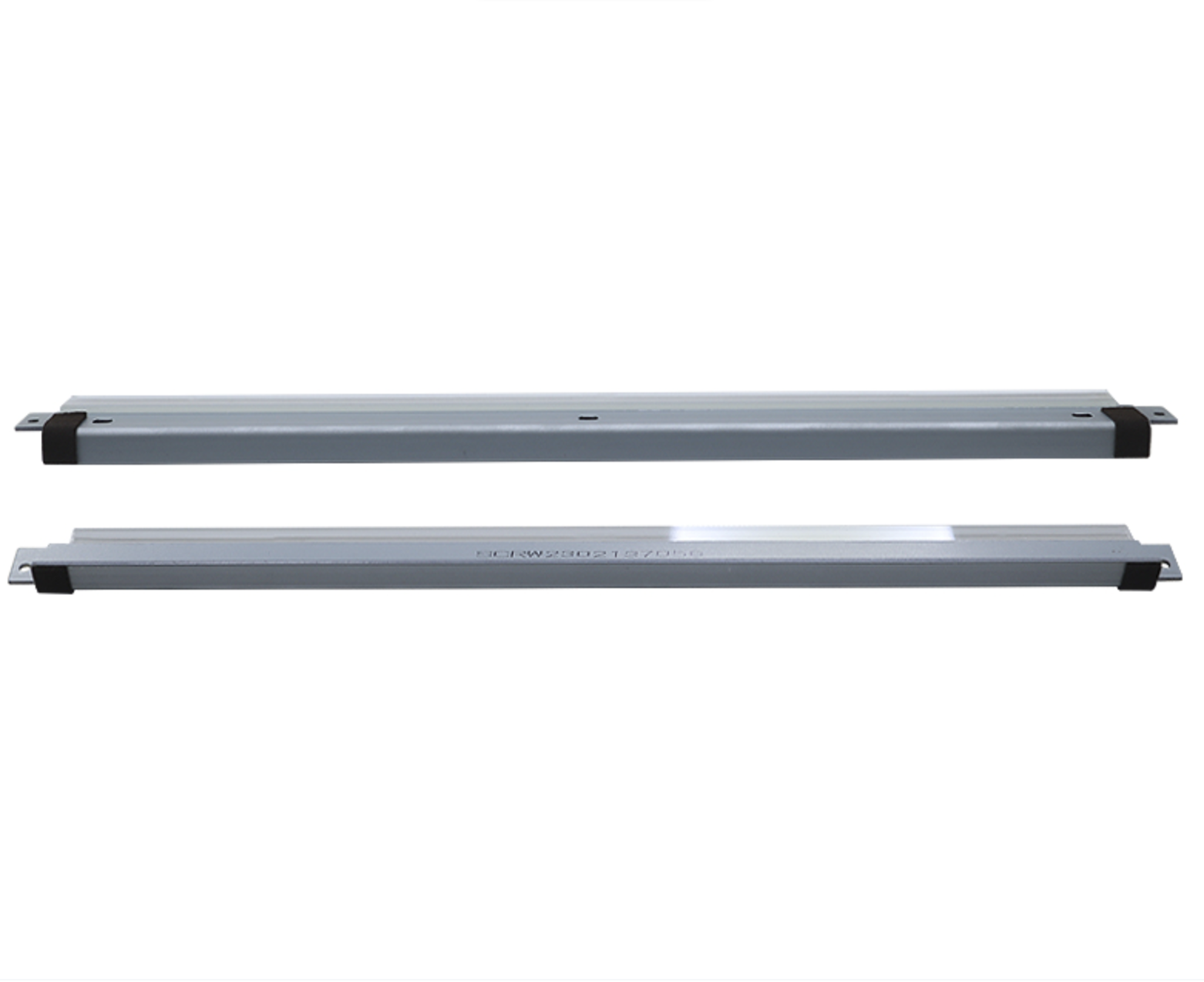
The cleaning blade is engineered with specific material composition and edge geometry to interact safely with drum surfaces. A quality cleaning blade typically features a synthetic rubber or polymer edge that is flexible enough to conform to drum imperfections yet rigid enough to maintain consistent contact pressure. Understanding this balance is crucial for safe installation because improper handling during the cleaning blade setup process can bend, crack, or degrade the blade edge before it even contacts the drum. The blade's mounting structure must be designed to hold the cleaning blade at the manufacturer-specified angle, typically between 45 and 60 degrees, depending on equipment design.
Material Compatibility and Surface Protection
Different drum surfaces and cleaning blade materials require specific handling protocols to prevent damage. The photoreceptor drum surface is highly sensitive and can be scratched by abrasive particles or improper blade contact. When installing a cleaning blade, technicians must ensure that the blade edge is free from dust, debris, or manufacturing residue that could scratch the drum. A contaminated cleaning blade installation creates micro-scratches that accumulate into visible streaking and image defects. Pre-installation inspection of both the cleaning blade and drum surface prevents most common damage scenarios and ensures that the equipment operates safely at full performance capacity.
Pre-Installation Safety Procedures for Cleaning Blade Setup
Equipment Preparation and Power-Down Protocols
The first safety step for any cleaning blade installation involves powering down the equipment and following lockout-tagout procedures. Never attempt to install or adjust a cleaning blade while the drum is rotating or while the machine remains connected to electrical power. The cleaning blade installation area must be isolated from other technicians, and the equipment must remain in a safe, powered-down state throughout the entire procedure. Once power is confirmed off, allow the equipment to cool for several minutes if it has been in operation. This cooling period prevents thermal shock to the cleaning blade material and reduces the risk of misalignment caused by temperature-related expansion or contraction of mounting components.
Cleaning Blade and Drum Surface Inspection
Before handling the cleaning blade or beginning installation, inspect both the blade and the drum surface for existing damage or contamination. Use a clean, lint-free cloth to gently wipe the drum surface, removing any loose toner or dust particles that could interfere with cleaning blade seating. Inspect the cleaning blade edge for cracks, brittleness, or deformations that would indicate the blade needs replacement. If the existing cleaning blade shows signs of wear or damage, remove it carefully and dispose of it properly. Only new or verified cleaning blade units should be installed on drum surfaces. This inspection step prevents installation of a defective cleaning blade that could cause accelerated drum damage or unsafe operational conditions.
| Stage | Requirements | Safety Notes |
| Pre-Installation | Power down equipment. Follow lockout-tagout. Cool for several minutes. | Never install while drum rotates. Isolate work area. |
| Inspection | Check blade for cracks. Inspect drum surface. Wipe with lint-free cloth. | Use only new/verified blades. Prevent scratches from debris. |
| Positioning | Position at 45-60 degrees per manual. Use alignment guides. Engage all mounting points. | Hand pressure only. No tools. No gaps in holders. |
| Pressure | Set to manufacturer specifications. Maintain uniform contact along blade length. | Avoid excessive pressure. Prevent heat friction damage. |
| Verification | Manually rotate drum. Verify uniform contact. No binding or resistance. | Catches alignment issues before power-on. |
| Testing | Power on in test mode. Print test image. Check for streaking or defects. | If issues found, power down and re-inspect immediately. |
| Maintenance | Inspect regularly for wear. Replace per manufacturer schedule. | Worn blade causes expensive drum damage. Monitor operator warnings. |
Proper Alignment and Pressure Techniques for Cleaning Blade Installation
Positioning the Cleaning Blade at Correct Angles
The cleaning blade must be positioned at the exact angle specified in the equipment service manual to ensure safety and performance. Most manufacturers design the cleaning blade holder with locating pins or alignment guides that position the blade automatically when properly installed. These guides exist specifically to prevent angular misalignment that could create uneven pressure across the drum width. When installing the cleaning blade, ensure that all mounting points engage fully and that no gaps exist between the blade holder and its mounting surface. Use hand pressure only during cleaning blade installation—never use tools to force components together, as this can damage the blade holder or create improper pressure distribution.
Applying Consistent Contact Pressure
The cleaning blade must maintain consistent contact pressure along its entire length to clean the drum surface effectively while avoiding damage. Excessive pressure from an improperly installed cleaning blade creates heat friction that degrades both the blade and the photoreceptor surface, leading to premature failure of both components. Many equipment designs include pressure adjustment mechanisms that allow fine-tuning of the cleaning blade contact force. These mechanisms must be set according to manufacturer specifications—not by technician preference or guesswork. After completing the cleaning blade installation, manually rotate the drum slowly by hand to verify that contact feels uniform across the full width and that no binding or resistance occurs. This tactile verification step catches alignment problems before the equipment is powered on and provides critical confirmation that the cleaning blade installation was performed safely and correctly.
Post-Installation Verification and Operational Safety
Testing and Performance Validation After Cleaning Blade Installation
Once the cleaning blade installation is complete, perform several verification steps before returning the equipment to service. Power on the equipment in a controlled test mode and observe the drum rotation speed for smoothness and consistency. Print a test image and examine it for streaking, contamination marks, or image defects that would indicate improper cleaning blade seating or pressure. If the test output shows any quality issues, power down immediately and re-inspect the cleaning blade installation. Small adjustments to blade pressure or position may be necessary before achieving optimal results. Document all cleaning blade installation activities, including the date, blade part number, and any adjustments made, for maintenance records and future reference.
Ongoing Safety Monitoring and Maintenance
Even after successful cleaning blade installation, continued monitoring ensures long-term safety and reliability. Establish a maintenance schedule that includes regular inspection of the cleaning blade for wear patterns and contamination. Replace the cleaning blade according to manufacturer recommendations or when visible wear becomes apparent. A worn or deteriorating cleaning blade can cause drum damage that is far more expensive to repair than preventive blade replacement. Train all equipment operators to recognize warning signs such as image streaking, unusual noise, or quality degradation that may indicate cleaning blade problems. Prompt attention to these signs prevents catastrophic drum damage and maintains the safety of the equipment throughout its operational life.
FAQ
Why is cleaning blade installation alignment so critical for drum surface protection?
Proper cleaning blade alignment ensures uniform contact pressure across the entire drum width, preventing localized high-pressure areas that would scratch or gouge the photoreceptor surface. Misaligned cleaning blade installation creates streaking, image defects, and accelerated drum degradation. Correct alignment protects the drum investment and maintains consistent print quality over the blade's operational lifespan.
What specific precautions should technicians follow when removing an old cleaning blade before installation?
Always power down the equipment and verify that the drum is completely stationary before removing the old cleaning blade. Use only hand tools to disconnect the blade holder—never force components with excessive pressure. Dispose of the old cleaning blade properly according to local regulations, and avoid touching the drum surface during the removal and cleaning blade installation process to prevent contamination or damage.
How can equipment operators detect if cleaning blade installation was performed incorrectly?
Improper cleaning blade installation typically produces visible warning signs such as horizontal streaking in printed output, incomplete toner removal, unusual grinding noises during operation, or rapid image quality degradation. Operators should report these symptoms immediately so technicians can verify the cleaning blade installation and make necessary corrections before drum damage occurs.