 EN
EN

A developer unit is part of the imaging system in many laser printers and copiers. It helps bring toner to the electrostatic image on the photosensitive drum so the image can be developed before it is transferred to paper. The exact design varies by machine, and some devices combine related components into a larger assembly. Always check the model-specific documentation before diagnosing, cleaning, or replacing a developer unit.
What is a Developer Unit?
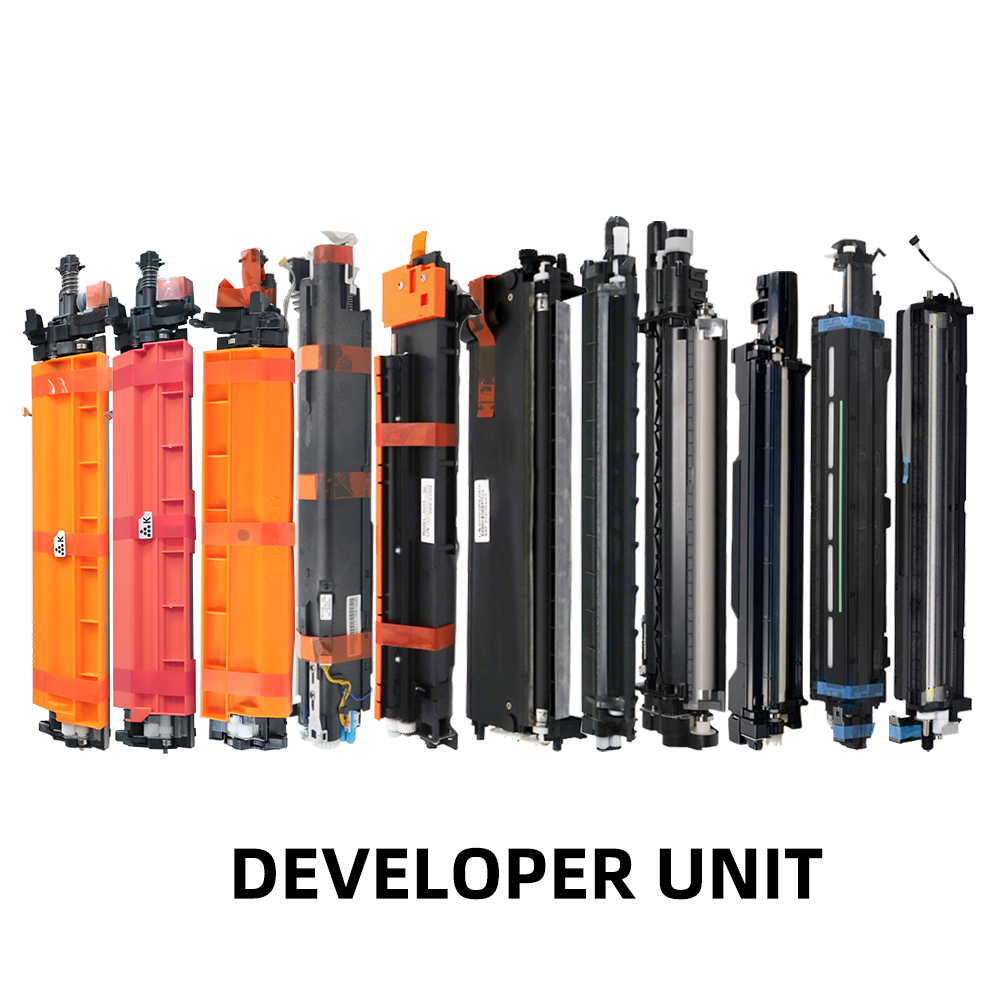
A developer unit is an imaging component used in many laser printing and photocopying systems. Its role is to help toner form a visible image on the photosensitive drum according to the electrostatic image created during the imaging process. Depending on the machine design, the developer unit may be a separate replaceable assembly or part of a larger imaging system.
The term “developer unit” does not describe exactly the same arrangement in every printer or copier. Component names, locations, and replacement procedures vary by manufacturer and model, so use the service manual or parts list for the specific machine when identifying a unit.
How Does a Developer Unit Work?
In a typical laser printing process, several imaging stages work together. The details differ by device, but the general sequence includes forming an electrostatic image, developing that image with toner, transferring the image to paper, and fusing the toner to the page.
Electrostatic Image Formation
The imaging system prepares a photosensitive drum and uses a laser or another exposure system to create an electrostatic pattern corresponding to the page image. This pattern is not yet the finished visible print; it guides where toner will be deposited.
Toner Development
The developer system brings toner into contact with the image areas on the drum. Depending on the design, the system may use a magnetic roller and developer material, or another model-specific arrangement, to control toner delivery. Toner adheres to the appropriate areas of the electrostatic image, making the image visible on the drum.
Transfer and Fusing
The developed toner image is transferred from the drum to paper or another print medium. The paper then passes through a fusing system, which applies heat and pressure or another specified process to bond the toner to the surface. The developer unit is only one part of this larger imaging sequence; transfer, drum, toner, paper, and fuser issues can also affect final print quality.
Developer Unit vs. Drum Unit vs. Toner Cartridge
These components are related, but they do not always come as separate parts. The layout depends on the printer or copier model.
Component |
Main role |
Compatibility note |
Developer unit |
Helps develop the toner image by bringing toner to the electrostatic image. |
May be a separate unit or part of a larger assembly, depending on model. |
Drum unit |
The photosensitive drum carries the latent electrostatic image used during image development. |
Drum and developer arrangements vary by machine; verify the exact parts list. |
Toner cartridge |
Stores or supplies toner for the imaging process. |
Some devices combine toner and other components; check the model-specific documentation. |
Do not identify a component by appearance alone. Check the machine model, part number, and manufacturer’s parts diagram before ordering a replacement.
Common Developer Unit Problems
A worn, contaminated, incorrectly installed, or incompatible developer assembly may contribute to print-quality problems. However, the same symptoms can also come from toner, the drum, transfer components, paper, settings, or other parts. Treat the symptoms below as reasons to inspect the imaging system, not as proof that the developer unit has failed.
Faded or Uneven Prints
Light areas or inconsistent density may be associated with toner supply or development issues, but low toner, image settings, drum wear, and other causes should also be checked. Compare the output with the device’s troubleshooting guidance before replacing parts.
Background Shading or Unwanted Toner
Unwanted gray shading or toner in areas that should remain clear can have several causes, including contamination or problems elsewhere in the imaging process. Follow the model-specific diagnostic steps to isolate the source.
Streaks, Repeating Marks, or Uneven Density
Lines, repeating marks, and uneven image density may indicate a problem with the drum, developer system, toner, transfer path, or another imaging component. Record the pattern and frequency of the defect and compare it with the service manual’s troubleshooting chart.
When Should You Repair or Replace It?
Consider inspection or replacement when the manufacturer’s diagnostics identify the developer assembly, when the unit is damaged or cannot be restored using approved procedures, or when the service manual specifies replacement. Do not replace the unit based on a single print symptom alone. For more guidance, see our related guide: “When Should You Replace the Developer Unit in Your Printer?”
Developer Unit Maintenance
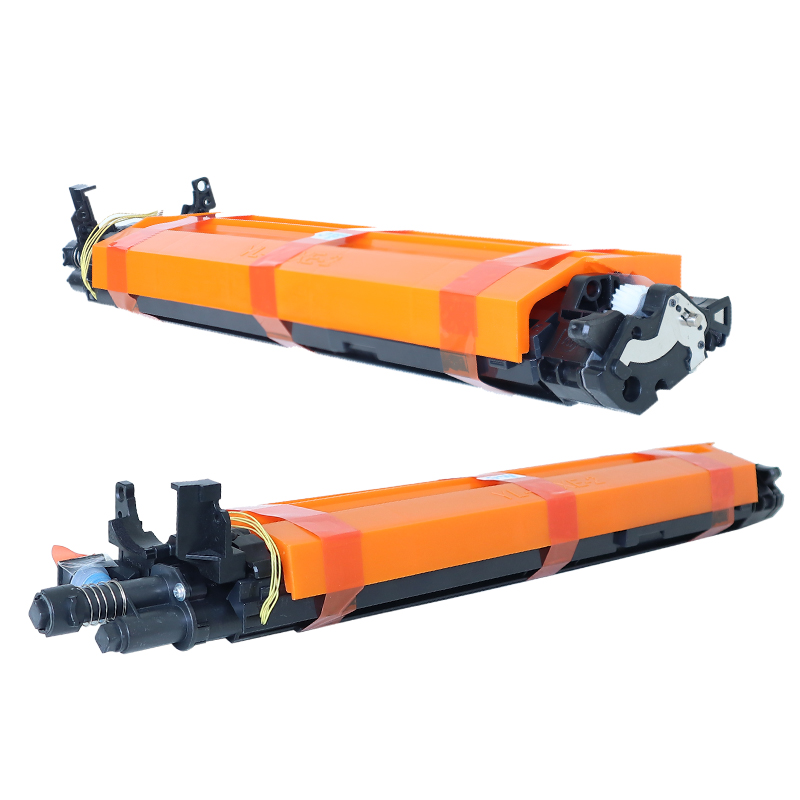
Maintenance requirements differ by machine. Follow the service manual for the exact model and use only approved cleaning methods, tools, and consumables.
Follow Model-Specific Instructions
Before opening the machine, switch it off and follow the manufacturer’s safety instructions. Some components may be hot, electrically sensitive, or easily damaged. Do not disassemble a sealed assembly unless the service procedure permits it.
Handle Imaging Components Carefully
Avoid touching sensitive drum surfaces or contaminating rollers and developer material. Keep parts away from dust and unsuitable liquids. Do not use compressed air, solvents, or household cleaning products unless the manufacturer explicitly approves them for that component.
Monitor Print Quality and Service Messages
Keep a record of print-quality changes, maintenance messages, error codes, and replaced part numbers. Use the machine’s specified inspection or replacement interval rather than applying a universal service-life estimate. If the problem continues after approved maintenance, consult a qualified technician.
How to Choose the Right Developer Unit
Correct compatibility is more important than relying on a generic product name. Before ordering, confirm the following details:
· Machine brand and exact model number, including regional or series variations.
· The original part number and any officially listed replacement or superseding part number.
· Whether the machine uses a separate developer unit or a combined imaging assembly.
· The required configuration and any model-specific version, color, or capacity differences.
· The supplier’s ability to confirm compatibility against the machine model and part number.
For B2B buyers, distributors, and service providers, it can also be useful to confirm order quantities, packaging, documentation, and the process for checking compatibility before placing a bulk order. Ask the supplier to verify the part against your exact machine information instead of assuming that similarly named units are interchangeable.
Frequently Asked Questions
What does a developer unit do in a copier?
It helps deliver toner to the electrostatic image on the photosensitive drum so the image can be developed before transfer to paper. The exact mechanism depends on the machine design.
Is a developer unit the same as a toner cartridge?
No. A toner cartridge typically stores or supplies toner, while a developer unit helps apply toner to the image during development. Some machines combine related functions, so check the parts diagram for your model.
Is a developer unit the same as a drum unit?
Not necessarily. The drum unit contains or supports the photosensitive drum, while the developer system performs the toner-development function. Some devices use separate assemblies; others integrate components.
Can a faulty developer unit cause faded prints?
It can be one possible cause, but faded prints can also result from low toner, drum wear, settings, or other imaging-system problems. Follow the manufacturer’s diagnostic process before replacing parts.
How long does a developer unit last?
There is no single lifespan that applies to every model. Service life depends on the machine, usage, media, environment, and manufacturer specifications. Refer to the service manual or the device’s maintenance messages for model-specific guidance.
Can I clean a developer unit myself?
Only if the manufacturer provides an approved procedure for the exact model. Improper cleaning or disassembly can damage sensitive components or affect print quality. If the procedure is unclear, contact a qualified technician.
How do I know which developer unit is compatible with my printer or copier?
Check the exact machine model and the original part number in the manufacturer’s parts list or service documentation. Ask the supplier to confirm compatibility before ordering, especially when purchasing for multiple models or in bulk.
Looking for a Compatible Developer Unit?
SCCOPIER supplies copier and printer parts for business customers. To help identify a suitable developer unit, prepare your machine brand, exact model number, and original part number if available. Our team can use these details to help check the requested part and clarify compatibility before you proceed.
Explore our developer unit product category: https://www.sccopier.com/developer-unit
For a faster compatibility check, include your target machine models and estimated quantity when you contact us. Product availability and compatibility should be confirmed for each specific request.
Table of Contents
- What is a Developer Unit?
- How Does a Developer Unit Work?
- Developer Unit vs. Drum Unit vs. Toner Cartridge
- Common Developer Unit Problems
- Developer Unit Maintenance
- How to Choose the Right Developer Unit
-
Frequently Asked Questions
- What does a developer unit do in a copier?
- Is a developer unit the same as a toner cartridge?
- Is a developer unit the same as a drum unit?
- Can a faulty developer unit cause faded prints?
- How long does a developer unit last?
- Can I clean a developer unit myself?
- How do I know which developer unit is compatible with my printer or copier?
- Looking for a Compatible Developer Unit?