 EN
EN

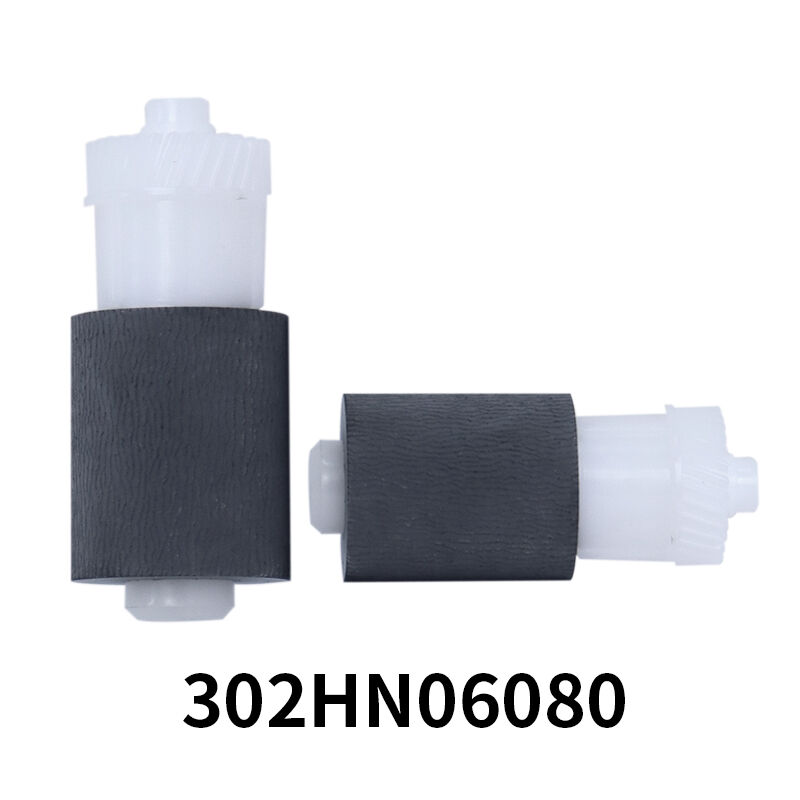
The pickup roller is a critical component in copiers and printers that ensures smooth paper feeding from the paper tray to the printing mechanism. When this essential part begins to wear down or malfunction, it can cause significant disruptions to your office workflow and printing operations. Understanding the warning signs of a failing pickup roller can save you from costly downtime and help maintain optimal printing performance. Regular maintenance and timely replacement of this component are essential for keeping your Kyocera copiers and similar devices running efficiently.
Common Paper Feed Problems Indicating Pickup Roller Issues
Paper Jams and Misfeeds
One of the most obvious signs that your pickup roller requires replacement is the frequent occurrence of paper jams. When the pickup roller loses its grip or becomes worn, it struggles to properly grab and feed paper from the tray. This results in papers getting stuck in the feed mechanism, causing frustrating interruptions to your printing tasks. Multiple sheets may be pulled simultaneously, creating double-feeds that jam the paper path and require manual intervention to clear.
The pickup roller surface becomes smooth and hardened over time due to constant friction and heat exposure. This deterioration significantly reduces the roller's ability to maintain proper traction on paper surfaces. As a result, papers may not be picked up at all, leaving you with empty print jobs or incomplete document sets. These feeding irregularities become more pronounced when using different paper weights or sizes, as the worn pickup roller cannot adapt to varying paper characteristics.
Inconsistent Paper Feeding Patterns
Another clear indicator of pickup roller problems is inconsistent paper feeding behavior. You may notice that some pages feed normally while others fail to advance properly through the paper path. This erratic performance pattern suggests that the pickup roller has developed uneven wear or surface damage that affects its gripping capability. The inconsistency often worsens gradually, making it difficult to predict when feeding failures will occur.
Document alignment issues also arise when the pickup roller cannot maintain consistent contact with paper surfaces. Pages may enter the printing mechanism at slight angles, resulting in skewed printouts or text that appears crooked on the page. This misalignment problem becomes particularly noticeable when printing multi-page documents where consistency is crucial for professional presentation.
Physical Signs of Pickup Roller Deterioration
Visual Inspection Indicators
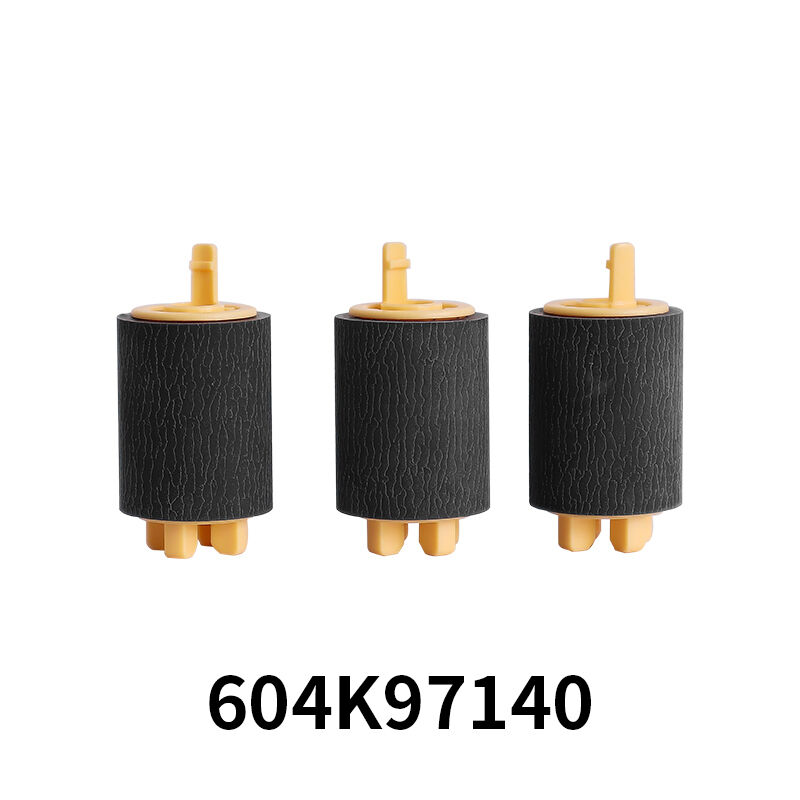
Regular visual inspection of your pickup roller can reveal important clues about its condition and remaining service life. A healthy pickup roller should have a slightly textured, rubber-like surface that feels tacky to the touch. When the roller begins to fail, you will notice that the surface becomes smooth, shiny, and hardened. This transformation occurs due to the accumulation of paper dust, toner particles, and oils that gradually coat the roller surface.
Cracks, chips, or visible wear patterns on the pickup roller surface indicate advanced deterioration that requires immediate attention. These physical defects create irregular contact points that can damage paper during the feeding process and lead to more severe mechanical problems. Deep grooves or flat spots on the roller circumference suggest excessive wear that cannot be corrected through cleaning procedures alone.
Contamination and Debris Accumulation
The pickup roller naturally accumulates various contaminants during normal operation, including paper fibers, dust particles, and toner residue. While some contamination is expected, excessive buildup indicates that the roller surface has become compromised and may require replacement. Heavy contamination prevents the roller from maintaining proper grip on paper surfaces and can transfer unwanted marks or streaks onto printed documents.
Sticky or gummy residue on the pickup roller surface suggests chemical breakdown of the rubber compound. This degradation process accelerates in high-temperature environments or when the device processes large volumes of documents regularly. The sticky surface may initially seem to improve paper grip, but it actually attracts more debris and eventually hardens into a smooth, ineffective coating.
Performance Impact on Document Quality
Print Registration and Alignment Issues
A failing pickup roller directly affects document quality by compromising the precise timing and positioning required for accurate printing. When papers are not fed consistently into the printing mechanism, registration marks may appear misaligned, and text or images can shift position on the page. This problem becomes particularly evident in color printing applications where multiple passes are required to build the complete image.
Double-sided printing operations are especially sensitive to pickup roller performance, as any variation in paper positioning during the first pass affects the alignment of content printed on the reverse side. Professional documents requiring precise formatting, such as letterheads, forms, or presentations, may appear unprofessional when pickup roller problems cause content to shift or appear askew on the page.
Increased Maintenance Requirements
As pickup roller condition deteriorates, you will notice increased frequency of required maintenance interventions. Paper jams occur more often, requiring staff time to clear blockages and restart print jobs. This increased maintenance burden reduces overall productivity and may require dedicated personnel to monitor and maintain printing equipment throughout the workday.
The pickup roller problems can also cascade into other system components, causing premature wear on separation pads, guide mechanisms, and sensors. This interconnected damage increases overall maintenance costs and may require simultaneous replacement of multiple components to restore proper functionality. Early intervention to replace the pickup roller can prevent these secondary problems and reduce total repair expenses.
Preventive Maintenance Strategies
Regular Cleaning Procedures
Implementing regular cleaning procedures can extend pickup roller service life and help identify potential problems before they cause significant disruptions. Use lint-free cloths moistened with isopropyl alcohol to gently clean the roller surface, removing accumulated debris and contaminants. This cleaning process should be performed monthly or according to manufacturer recommendations based on usage volume.
During cleaning procedures, carefully inspect the pickup roller surface for signs of wear, damage, or contamination that cannot be removed through normal cleaning methods. Document any changes in surface condition or performance characteristics to establish replacement timing and prevent unexpected failures during critical printing operations.
Environmental Considerations
Environmental factors significantly influence pickup roller longevity and performance characteristics. High humidity levels can cause paper to become limp and difficult to separate, increasing stress on the pickup roller during feeding operations. Conversely, extremely dry conditions may cause static buildup that affects paper handling and creates feeding irregularities.
Temperature fluctuations also impact pickup roller performance, as rubber compounds respond to thermal changes by expanding or contracting. Maintaining stable environmental conditions in printing areas helps ensure consistent pickup roller performance and extends component service life. Proper ventilation and climate control systems contribute to optimal operating conditions for all printing equipment components.
Replacement Timing and Selection Criteria
Service Life Expectations
Pickup roller service life varies significantly based on usage patterns, environmental conditions, and paper types processed through the device. High-volume operations typically require pickup roller replacement every 50,000 to 100,000 pages, while moderate-use environments may achieve 150,000 pages or more before replacement becomes necessary. Heavy cardstock or specialty papers accelerate wear rates due to increased friction and stress during feeding operations.
Monitoring page counts and performance indicators helps establish replacement schedules that prevent unexpected failures during critical periods. Proactive replacement scheduling ensures that backup components are available when needed and allows maintenance activities to be planned during off-peak hours to minimize operational disruptions.
Quality Component Selection
Selecting high-quality replacement pickup roller components ensures reliable performance and maximum service life from your investment. OEM specifications provide important guidance regarding rubber compound formulations, surface textures, and dimensional tolerances required for optimal compatibility with your specific equipment model. Generic or aftermarket components may offer cost savings but could compromise performance or longevity.
The pickup roller material composition directly affects grip characteristics, wear resistance, and environmental tolerance. Premium components typically feature advanced rubber compounds that maintain flexibility and traction throughout extended service periods while resisting contamination buildup and surface degradation that plague lower-quality alternatives.
FAQ
How often should I replace my pickup roller?
The replacement frequency for a pickup roller depends on your usage volume and operating conditions. For high-volume offices processing over 5,000 pages monthly, replacement may be needed every 12-18 months. Moderate-use environments typically require pickup roller replacement every 2-3 years. However, the best approach is to monitor performance indicators such as paper jam frequency and feeding consistency rather than relying solely on time-based schedules.
Can I clean my pickup roller to extend its life?
Yes, regular cleaning can significantly extend pickup roller service life and improve performance. Use a lint-free cloth dampened with isopropyl alcohol to gently clean the roller surface monthly. Remove any visible debris, paper dust, or toner particles that may have accumulated. However, cleaning cannot restore worn or hardened roller surfaces, so replacement will eventually be necessary when the rubber compound deteriorates beyond effective cleaning.
What causes premature pickup roller failure?
Several factors can cause premature pickup roller failure, including excessive heat exposure, contamination from poor-quality paper, and inadequate maintenance. Using papers with high fiber content or recycled materials can accelerate wear due to increased abrasive particles. Environmental factors such as high humidity, dust, or temperature fluctuations also contribute to shortened service life. Regular cleaning and using quality paper products help prevent premature failure.
How do I know if my pickup roller problem requires professional service?
If cleaning procedures and basic maintenance do not resolve feeding problems, or if you notice mechanical damage to the pickup roller assembly, professional service may be required. Complex disassembly procedures, calibration adjustments, or simultaneous replacement of multiple components typically require trained technician expertise. Additionally, warranty considerations may necessitate professional service to maintain coverage and ensure proper installation of replacement components.